8 posts tagged with "news"

View All Tags

draw.io is sponsoring FOSDEM 2024

· 2 min read

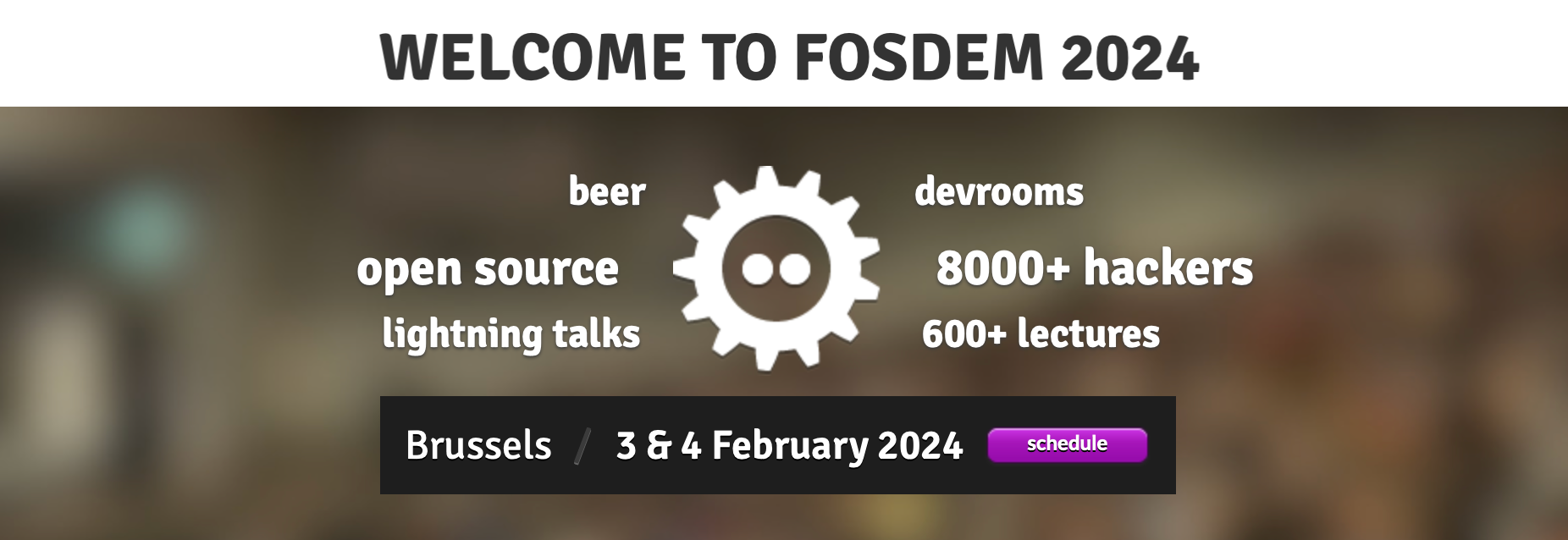
We are proud to be be once again sponsoring the popular FOSDEM two-day event for open source software, held at the Université Libre de Bruxelles Solbosch Campus in Brussels, Belgium on 3-4 February 2024. There is no registration and the event is free to attend.

draw.io is sponsoring the FOSDEM'24 conference for open source developers

FOSDEM is organised by a large team of volunteers, and provides a space for open source software developers and users to meet, share ideas, and collaborate on open source projects.

If you would like to join a developer room at FOSDEM'24, keep an eye on list of developers that will be calling for participation shortly and the FOSDEM'24 schedule as speakers and projects are confirmed.

FOSDEM: hundreds of open source speakers and events

With well over 5000 developers and speakers attending from all over the world, it’s easily one of the largest events for open source projects.

As usual, there will be a wide variety of presentations by speakers across several tracks, along with keynotes, developer rooms and hacking sessions, lightning talks, project stands with demos and merchandise, and open discussions. You can attend as few or as many activities as you like for free - just turn up on the day.

Unlike previous events, no certification exams are planned for this year. There will be an area for recruiting and job opportunities for open source positions, and several related fringe events that you may be interested in attending.

Open source diagramming

We greatly appreciate our open source community of developers, bug reporters, translators, contributors and sponsors, as well as the developers of the open source projects that we sponsor directly.

As one of the world’s most widely used browser-based diagramming applications, draw.io can be used online, as a desktop app, deployed locally in a variety of formats. Plus, there is an increasing number of third-party integrations, where developers have embedded our open-source diagram editor into their content and project management tools.

Thanks for supporting draw.io in 2022

· 4 min read

It was quite a year. We want to take this opportunity to thank you for your support, look back at some of the features we've added and updated.

To our diagram editor users

Whether you use our web-based draw.io app or one of our draw.io integrations, or our standalone desktop app, thank you for your support, feedback, and participation in our Google forum and GitHub discussions.

To our open-source contributors and sponsors

Also to our development and support team, translators, bug reporters, and open-source sponsors - we love that you love our secure diagramming app. Thank you for your support and contributions this year.

To those open-source projects and developers we sponsor

Particularly Henning Dieterichs (unofficial draw.io extension for VSCode), Preet (rough style for shapes) and Dan Brown, but we'd like to thank all those we sponsor for your contributions to the open-source community and our application.

New features and updates in 2022

The biggest and most recent new draw.io feature is our redesigned toolbar and menu for a distraction-free diagram editor.

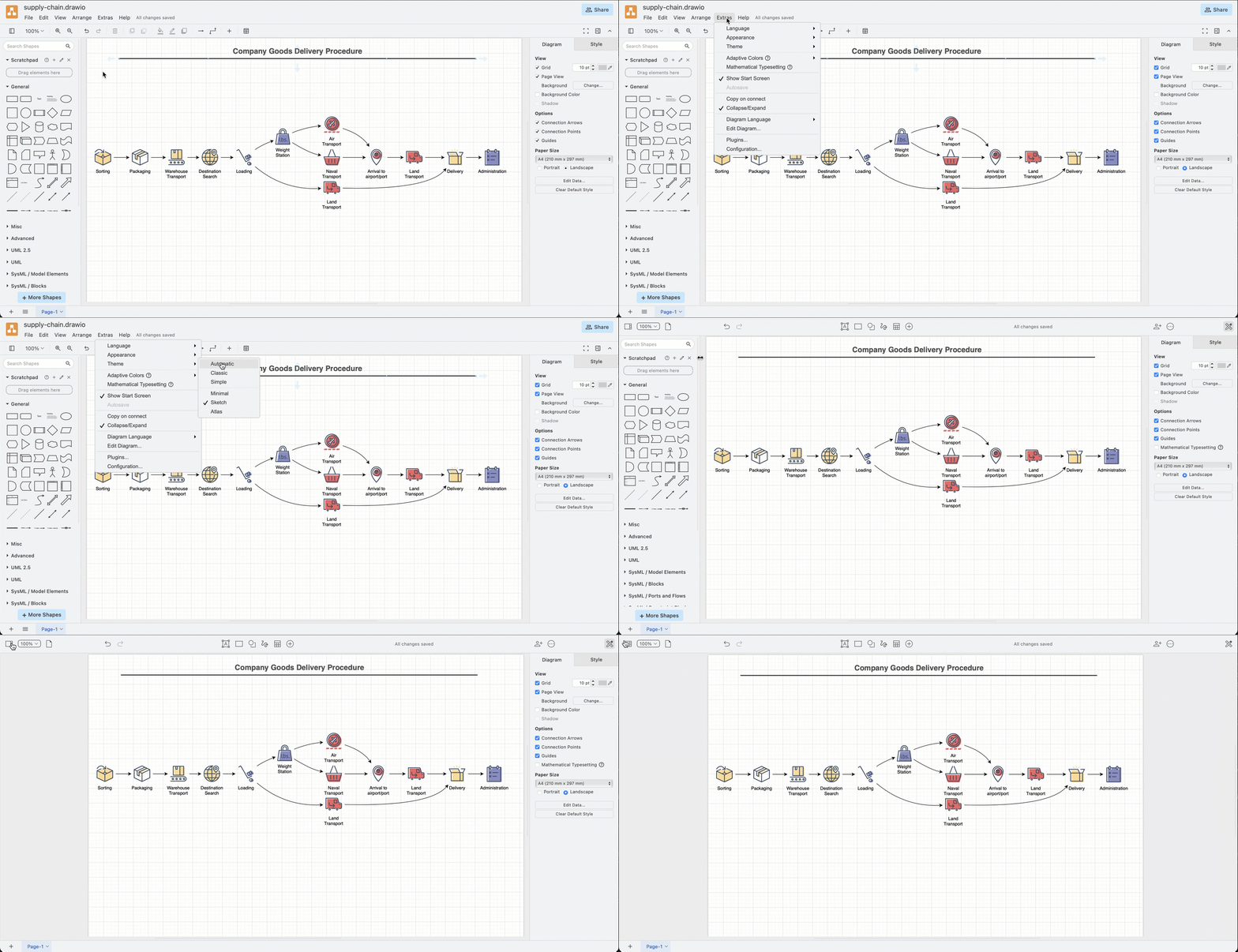
The new simple mode takes the best parts of all of our editor themes and blends them together with a simple, responsive toolbar and large drawing canvas. To switch to this mode, click on the sun/moon in the top right, and select Simple.
Draw a freehand shape in your diagram via the toolbar in simple mode in draw.io

  • draw.io users in Confluence Server/Data Center can apply a sensitive label to exclude diagrams from recent lists and search.

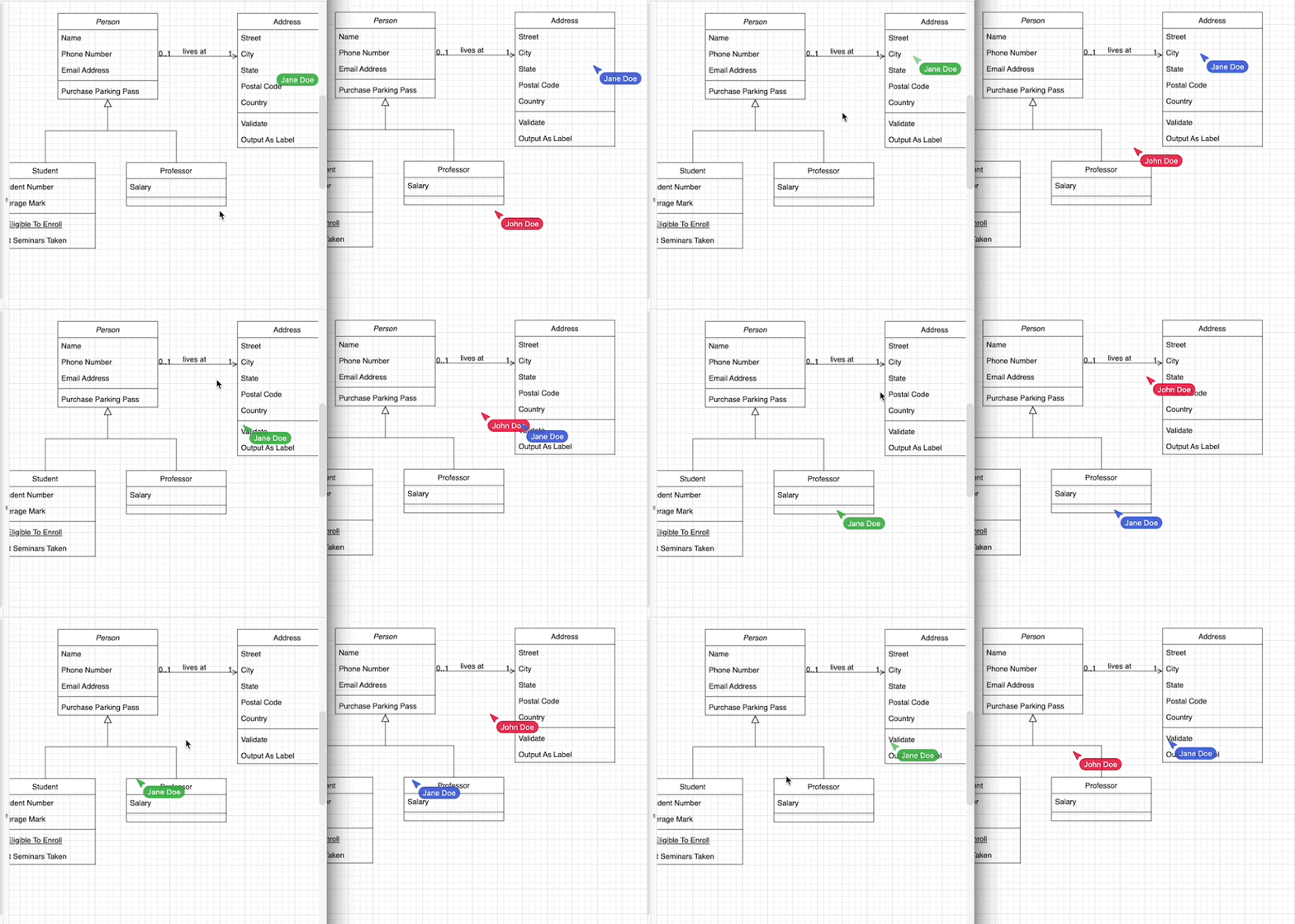
  • draw.io users in Confluence, and with Google Drive and Microsoft One Drive can see each others' mouse cursors in real time as they collaboratively edit a diagram.
    Share your mouse cursor with others who are editing the same draw.io diagram in Confluence Cloud

  • Improvements were made to the mass Gliffy import and Confluence instance migration tools for draw.io users.

  • Shape libraries have been expanded and updated with new icons - particularly the Azure, AWS, Google Cloud and SysML shape libraries.

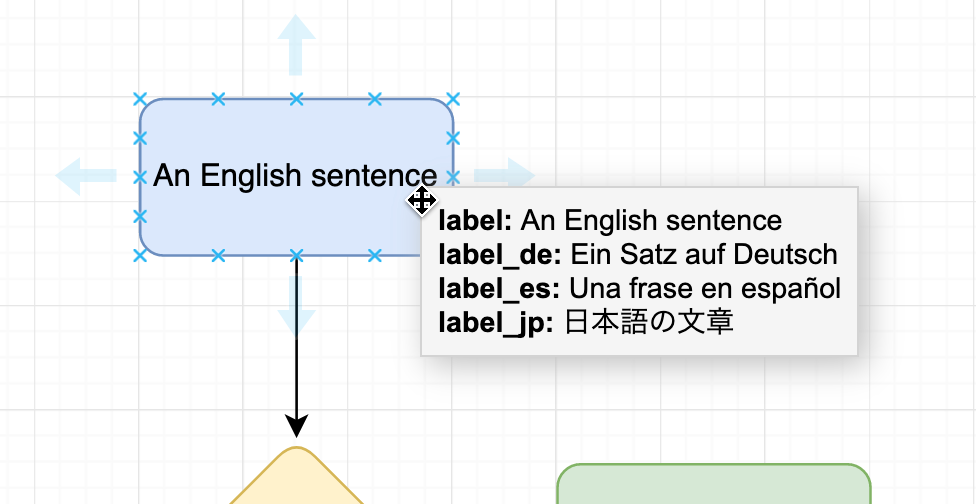
  • You can add and edit translations within the shape labels as shape metadata - no need to keep separate diagrams for separate languages.
    Translate labels on shapes and connectors directly in the draw.io editor

  • The editor was translated into new languages - Lithuanian and Latvian.

  • Switch between dark and light modes without having to reload the browser tab - click on the sun/moon in the top right and select Dark.

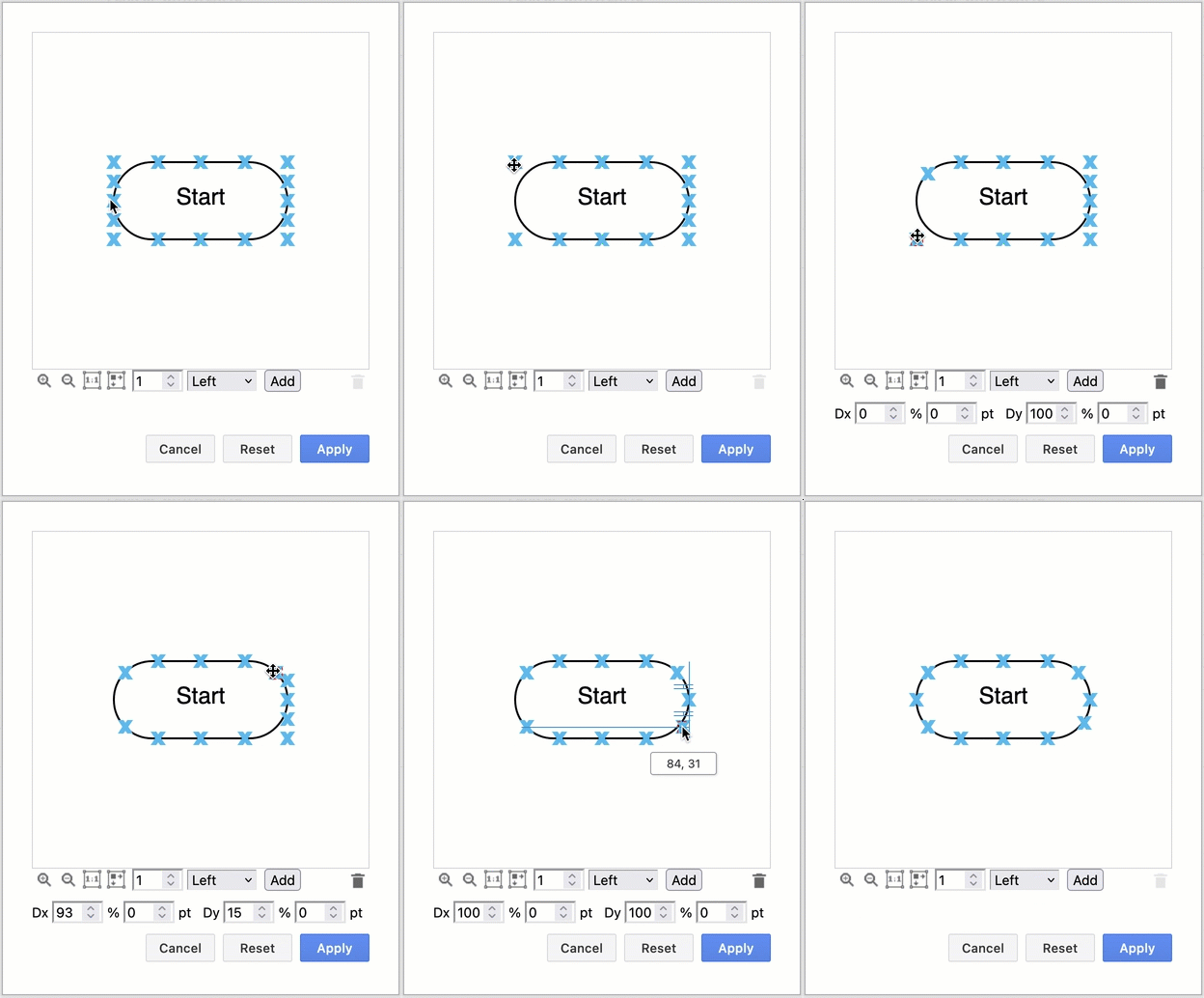
  • A connection point editor tool was added - you can now easily customise the fixed connection points for any shape on the drawing canvas.
    Move, delete and add connection points to a shape visually in draw.io

  • Swap existing shapes on the drawing canvas by holding down Shift as you drag one over the other. Flip connectors and groups of shapes via the Arrange tab on the format panel.

  • Number shapes and connectors with the built-in enumerate property (to replace the number plugin).

  • To run your own diagramming server, you can use our Docker image of draw.io for secure and private diagramming behind your firewall.

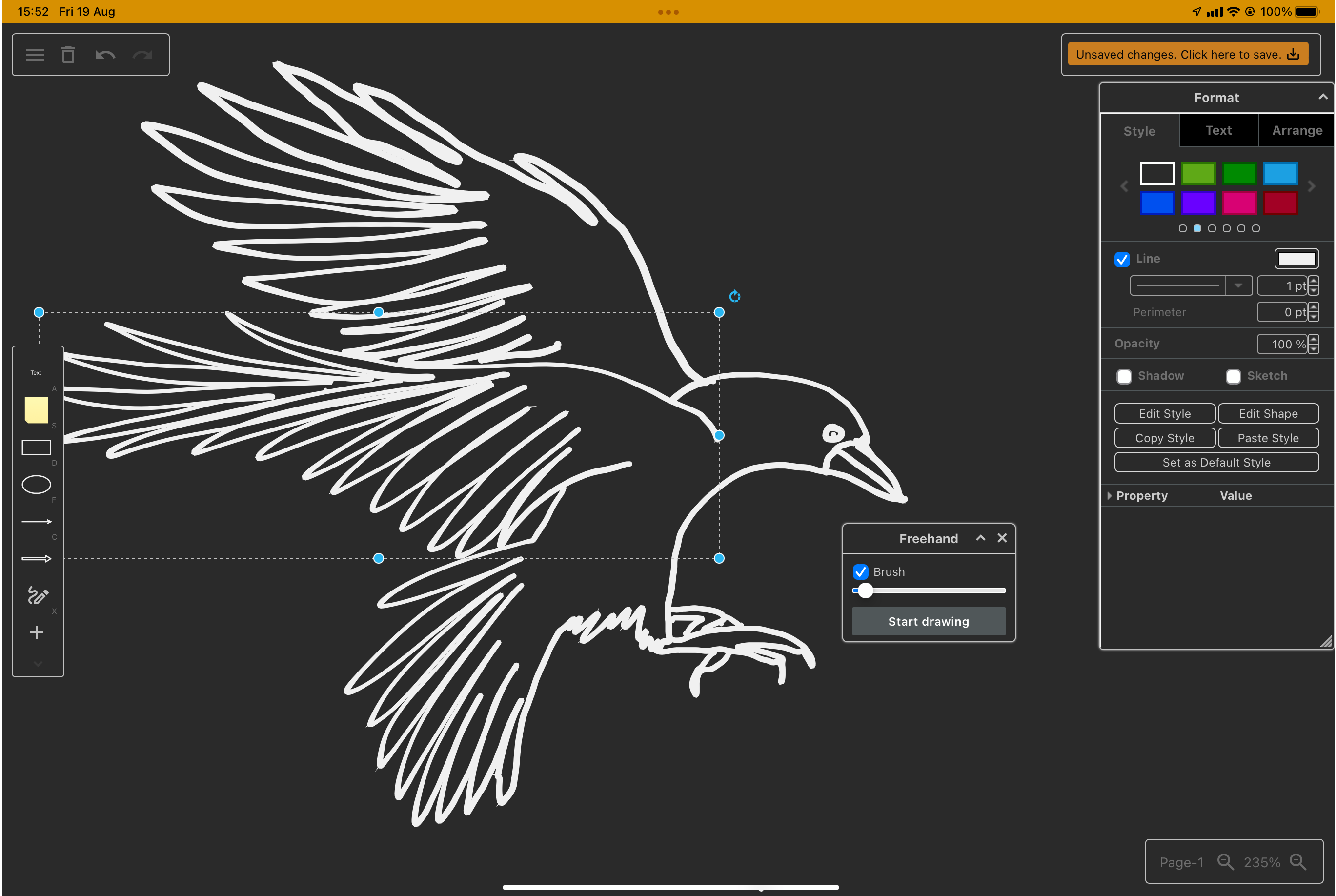
  • Freehand drawing was updated with a variable size brush, which works well with a tablet and pen.
    Freehand drawing in draw.io on a tablet - click the freehand tool in the toolbar on the left

  • Several advanced tools and features were updated, including Mermaid import, mathematics typesetting, rough style, CSV import, image cropping, font mapping, SVG export, drag and drop diagram import, and more.

  • More integrations with a wider range of tools for built-in diagramming - thanks to the developers who have integrated our open-source diagram editor.

And, of course, our team also published a mountain of bug fixes, security patches and smaller optimisation changes to both the web version of draw.io and our own draw.io app integrations.

The many faces of draw.io

· 3 min read

Finding a typo-proof word that is also pronounced the same throughout the world is simple, how sensible companies fail to stop users from mis-spelling product names eludes us. draw.io demonstrates the right way to do this, clearly. However, a small, minor, fractional, minority of users regularly fall asleep on their keyboards while typing our product name, this is the only rational explanation.
Freehand drawing in draw.io on a tablet - click the freehand tool in the toolbar on the left

craw.io - do our diagrams make you angry? Or maybe it's a reference to the cleverness of crows? Do those filthy BPMN shapes make your skin crawl?

dra.io - the languages with a close appropriate meaning would be Norwegian (to draw or drag) or Swedish (to pull or tell a story). Or perhaps Yola, the Forth and Bargy dialect (to draw) in County Wexford. We bet you've dropped your lunch under the w key.

dran.io - your turn! (German) Seriously, we're not sure how n slips in for w as those two keys are usually far from each other in most layouts. Perhaps Maltron 3D keyboard users slipping from the a?

draq.io - uncertain, unexpected, indefinable, but riveting. Or perhaps fashionable? Or cut off accidentally while typing something longer...

drag.io - a wonderfully concise description of how to use draw.io - drag shapes onto the canvas and drag connectors between them.

drsw.io - That's tough to say after you've been drinking. Maybe that's the reason you spelt it like that. But that's cool, we'd totally all vote for Sanna Marin if we could.

drwa.io - Polish for firewood or wood, probably. Also Creole for right (entitlement).
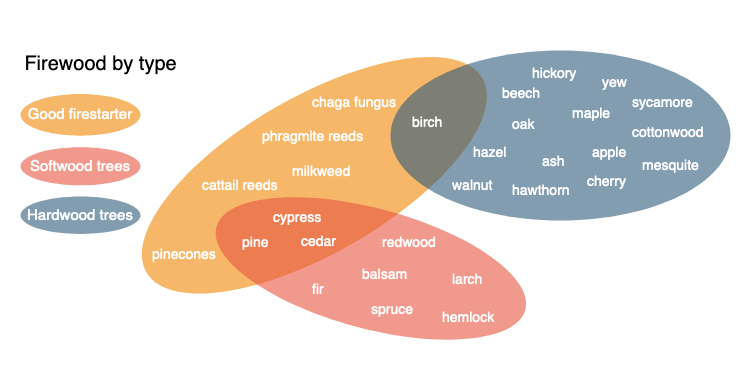
Different types of hardwood and softwood trees for firewood, and useful firestarters

dwaw.io - this brings to mind an old movie ...
"Mawwiage ... mawwiage is what bwings us togevvar, today."

draw.net and diagrams.io - how could anyone get this wrong? Our naming change will go in marketing textbooks for years to come as an example of how to re-brand effectively.

diagram.io - our top secret site to get money from you. You're only allowed a single diagram here, until you pay up and we redirect you.

graph.io - because draw.io is developed by JGraph? Or is it diagrams.net...

drow.io - flanked by dark elves? Seriously though, the aw sound in English is difficult in other languages - in Japanese, it is closest to the vowel o. It seems to be tricky in Spanish, too.
drow.io should really redirect to a vector drawing of Drizzt.

ddra.io - when said aloud, this is suspiciously close to daedra. Perhaps we should ask Bethesda if Hermaeus Mora, Jyggalag or Peryite is the patron prince of diagrams? Ooo, an idea - a wabbajack tool for hilarious chaos when teams collaborate!

It's summer, we're bored and it's hot. If you'd like to contribute additional misspellings or propose different meanings for those above, share it with draw.io on Twitter.

How many of these domains will be purchased within a week? You can offer to sell them to us at sales@draw.net.

Keep your diagrams on premises with draw.io

· 2 min read

With the rising popularity of cloud collaboration, it is not surprising that some diagramming software providers are exiting the on-premises market. You don't have to worry about that with draw.io.

Lucidchart has recently announced that they will begin sunsetting ('kill' or 'cancel' to the rest of us) their Confluence Server and Data Center apps, Lucidchart OnPrem, starting from 6 January 2020. After this date, customers will be encouraged to move their diagrams to Lucidchart's own cloud platform, and use a connector app in Confluence to embed Lucidchart diagrams. The on-prem app will be fully deprecated one year later, on 6 January 2021, when they will stop supporting Confluence 7.5 and require customers to migrate their diagrams.

Bad for companies who require on-premise data storage

While much is being made of their 'industry-leading security' (have you noticed how everyone is 'industry leading' ...), many companies who are currently use the Lucidchart apps within their on-premises Confluence infrastructure will not be thrilled at the idea of yet another collaboration and storage location, yet another cloud subscription, and yet another set of DPAs. That's even if they are open to the idea of storing data in the cloud in the first place.

draw.io keeps your data in your infrastructure

If you aren't already using Confluence Cloud, you most likely you want to keep all of your data within your infrastructure, behind your firewall. That's why you are using Server or Data Center products, after all.

The draw.io apps for Confluence and Jira Server let you collaborate and keep your data in your infrastructure. Even when a diagram is being edited, the diagram data is only stored in your employee's browser and in the attachment in Confluence or on your Jira issue.

Reference implementation moving to app.diagrams.net

· 3 min read

The reference implementation of the draw.io project will be hosted at app.diagrams.net. Everything else remains the same - the online editor has all the functionality of the draw.io core editor.

.io domains

There are two major problems with .io domains:

However, the domain administrator made no attempt, at any time, to communicate with anyone about the issue. We've no evidence to suggest there is anything to be worried about, but the complete lack of communications means we have lost trust in whoever controls .io domains.

draw.io in Atlassian

draw.io will remain as-is within Atlassian. Our partnership in that ecosystem with Seibert Group GmbH will continue in the same way for a long time to come.

Our draw.io documentation and official blog will move away from the .io domain to drawio.com.

What's next?

Our web site at www.drawio.com is focused on the core open source project and the reference implementation at app.diagrams.net.

We are testing https://app.diagrams.net to check everything that works on the old draw.io domain works there. Don't switch away from www.draw.io just yet.

When we're happy with the new app sub-domain we'll mark it as the canonical domain and file open requests from Google Drive will be sent there.

What do I need to do?

Hopefully, nothing. If you use draw.io within your group or company, maybe send a message to let your colleagues know the name is changing. There is time to feedback any concerns you may have.

If you have questions, please post them to https://groups.google.com/forum/#!forum/drawio. If it's technical you can open an issue at GitHub.

We are sponsoring FOSDEM 2020

· 2 min read

FOSDEM is a free two-day event held each year, organised by volunteers, to promote the use and development of free and open source software. Open source software developers and users can meet, share ideas, and collaborate.

FOSDEM’20 will be held at the Université Libre de Bruxelles Solbosch Campus in Brussels, Belgium on 1-2 February 2020.

There is no registration and the event is free to attend!

We are a sponsor of FOSDEM’20

As an open source technology stack and one of the world’s most widely used browser-based diagramming applications, we are proud to be sponsoring FOSDEM’20 and supporting open source developers around the world.

Open source has a huge number of advantages for customers. With draw.io you get the following benefits.

  • Increased trust – anyone can scrutinise the source code.
  • Extendable – open source encourages third-parties to develop integrations with various platforms.
  • No lock-in SaaS – you’ll always have access to the desktop app even if the website goes away.

Our goal is to provide free, high quality diagramming software for everyone and disrupt the world of diagramming tools.

draw.io is sponsoring the FOSDEM'20 conference for open source developers

FOSDEM: hundreds of open source speakers and events

With thousands of attendees from all over the world taking place, it’s one of the largest events for open source projects. The 400+ speakers and 500+ events are organised by a hard-working team of volunteers.

In this 20th instalment of the conference, it’s free to participate in more than 50 developer rooms where talks, hacking sessions and open discussions are held on a huge variety of topics, all related to open source development and projects.

In addition to the developer rooms, there are keynotes, main track talks, as well as stands you visit to chat in person with open source project developers. Certification organisations also run several exams during the conference that visitors can take.

Keep an eye on the FOSDEM website or follow @fosdem on Twitter as the schedule of speakers and events are confirmed.

Updates to the draw.io desktop app

· One min read

DESKTOP VERSIONS PRE 10.7.5 ARE STRONGLY RECOMMEND TO DOWNLOAD AND INSTALL A NEW DESKTOP BUILD {: .alert .alert-danger}

Desktop versions prior to 10.7.5 have a critical security flaw, so we’re disabling them all, sorry. To resolve, just go to the draw.io desktop project on GitHub, https://github.com/jgraph/drawio-desktop/releases, and download the latest version for your platform. Once that’s installed, you’re good to go again.

Versions of draw.io Desktop from 10.7.5 onwards run completely isolated from the internet, so the security hole can’t reappear.

More example diagrams and templates on GitHub

· 2 min read

We regularly publish new example diagrams you can use as templates in the jgraph/drawio-diagrams repository on GitHub so they are easy to access. In this repository you'll find diagram examples that are used in:

Open a diagram as a template

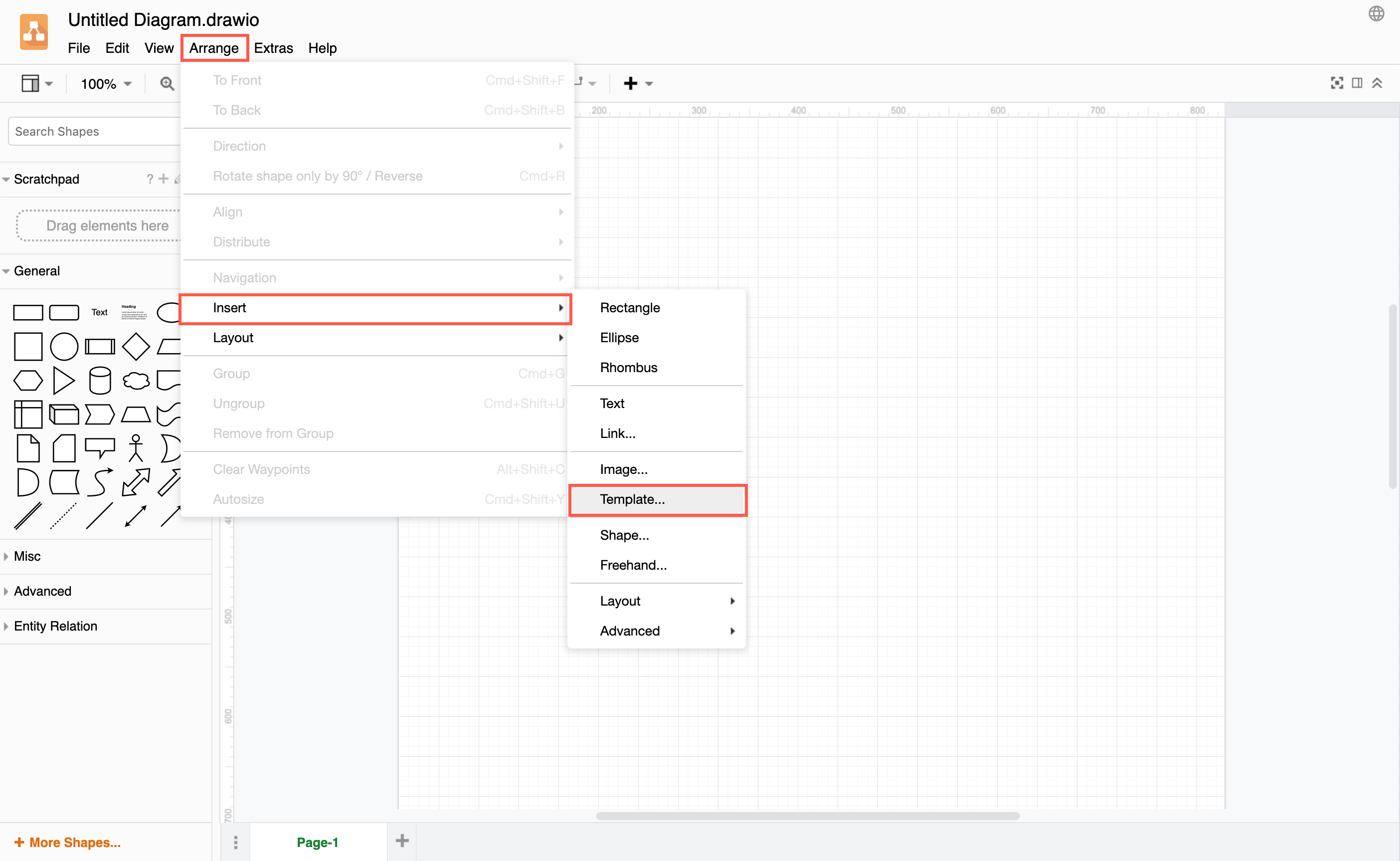
If you find an example diagram that you want to use as a template in your diagram, click Arrange > Insert > Template.

Insert a template diagram

In the template library dialog, click on From Template URL, and enter the URL of the diagram you want to use.

For example: https://raw.githubusercontent.com/jgraph/drawio-diagrams/dev/examples/maths-examples.drawio

Note: This must be the file data, not the page on which the file is attached.

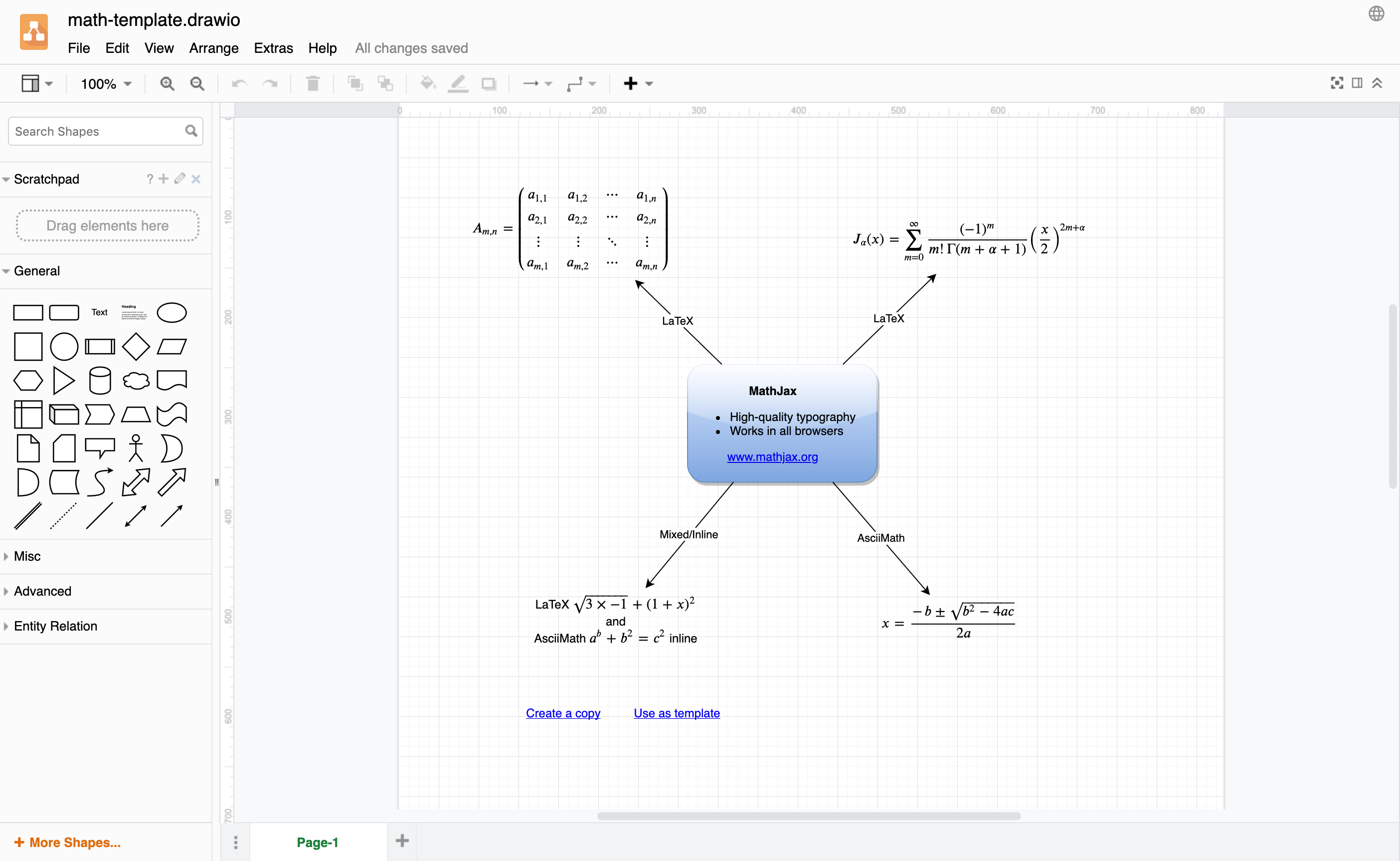
Click Create, and draw.io will open the template diagram in a new browser tab. Name your diagram, and now you can edit it as you need.

An example diagram inserted as a template from GitHub

See the drawio-diagrams repository on GitHub for more ways to use these examples as templates for your diagrams.