5 posts tagged with "trust"

View All Tags

Enhanced security with Google Workplace and se.diagrams.net

· 4 min read
draw.io
draw.io Team

Many diagrams in companies contain highly sensitive data - you don't want to share this data outside of your company's cloud systems. A stricter content security policy lets you diagram securely with draw.io via our online editor at se.diagrams.net, storing your diagram file in your Google Workspace or Google Drive account.

Features that require conversion tools on our servers, required to import and export files in a couple of formats, are not available when you use se.diagrams.net.

All other features that require processing of your diagram data are done directly in your browser. This ensures your diagram data is only communicated between your browser and your Google Workplace account.

Example data flow diagram for threat modelling

Diagram securely

draw.io is a unique security-first diagramming tool in that we provide the application platform, but your diagram data only lives in your browser while you are working on it, and in your Google Drive or Workspace account at rest.

We are dedicated to data security - we don’t use any trackers within our diagram editor or store your diagram data. Your diagram data is secure and private when you use draw.io. The few conversion tools that require remote server functionality are not available on se.diagrams.net.

IBM Internet of Things template network diagram from draw.io

Protect sensitive diagram data

Many types of diagrams require stricter data security in a corporate context: entity relationship diagrams for modelling or documenting databases, infrastructure and network diagrams, sensitive business processes and BPMN diagrams, supply chain dependencies, business models, attack trees and flows in threat modelling, and even UML diagrams that expose the inner workings of your applications' code.

Because your sensitive diagram data doesn't leave your infrastructure and is never stored on the our servers, se.diagrams.net is a tool which lets you comply with data protection certifications such as ISO 27000, 27001 and 27002.

Where orchestration models show process flow in BPMN diagrams, choreography models focus on the message passing between two (or more) roles.

Impact on editor features

Import: .vsd, .gliffy and .lucid file formats are not available.

Export: Export to .vsd and .pdf file formats.

  • When you select File > Export As > PDF, it will automatically open a dialog where you can print your diagram to a PDF file.
  • The conversion to a .vsdx file is done in your browser. Select File > Export As > VSDX to export to this format.

Use the Mermaid syntax instead: Arrange > Insert > Advanced > Mermaid

Storage location: Google Drive is the only cloud storage location available for both diagram files and custom shape libraries.

Use a secure online whiteboard

Change the se.diagrams.net editor theme to show a minimal whiteboard-like collection of tools and panels.

  1. If you don't already have this editor theme enabled, select Extras > Theme > Sketch.
  2. Reload your browser tab to switch to the simpler editor theme.
Sketch editor theme is currently being developed
_[Download this tutorial from GitHub](https://se.diagrams.net/?splash=0&ui=sketch&title=#Uhttps%3A%2F%2Fraw.githubusercontent.com%2Fjgraph%2Fdrawio-diagrams%2Fmaster%2Fblog%2Fboard-visual-tutorial.drawio), add it to your Google Drive account, and open it in [se.diagrams.net](https://se.diagrams.net/?splash=0&ui=sketch)_

Privacy policy updates

· 3 min read
draw.io
draw.io Team

Data security and privacy are central to our draw.io diagramming tool - using our application platform, your diagram data storage means saving and loading is direct between your browser and whichever location your choose to save your diagram file. We don't allow your diagram data to be stored on our servers.

We take the same privacy and security focused approach to non-diagram data too here at JGraph - we don't use cookies or tracking pixels on our website.

Of course, if you contact us here at JGraph for support via GitHub, Google Groups, or one of our social channels, we will have your contact details - necessary to resolve your query.

In our updated privacy policy, we have now clarified that we will not send you any marketing communication using your details or data. We will also not share your personal data with any third-party company for marketing purposes.

Note: The draw.io app listings in the Atlassian Marketplace for Confluence and Jira are managed by Seibert Group GmbH, and therefore are governed by their privacy policy.

Use draw.io Desktop to diagram offline

Our draw.io desktop app runs fully offline on your local device, and your diagram data stays on your local device. The only external communications from the software are to check for application updates.

draw.io runs on Windows, macOS and Linux - download the draw.io Desktop installer for your operating system.

Configure data transmission lockdown

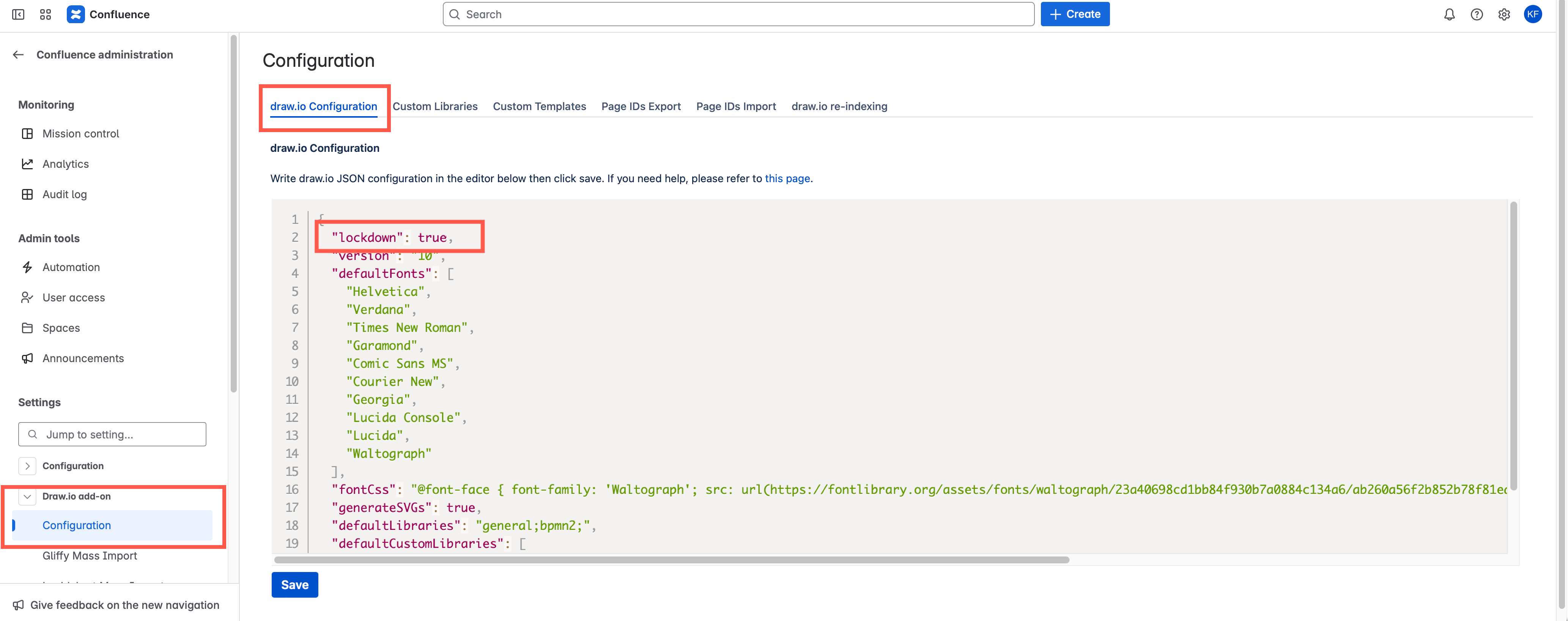
Set "lockdown": true in the editor configuration. Lockdown options only apply to cloud-based draw.io versions.

This will disable data transmission apart from directly between your browser where you are editing your diagram, and the cloud platform or location you have chosen to store the diagram file.

  1. In the online version of draw.io at app.diagrams.net, select Extras > Configuration in classic mode, ... > Settings > Configuration in Simple mode or the Sketch editor theme to open the configuration.
  2. Enter the "lockdown": true JSON string and click Apply.

In the draw.io app for Confluence Cloud (advanced edition only), go to the administration area, then the draw.io Configuration tab. Add "lockdown": true to the UI Configuration, and click Save changes.
Configure draw.io for Confluence Cloud to lock down your diagram data to match your Atlassian data residency settings

Note: There are few functions that use the draw.io servers to perform operations that browsers are not capable of, including to generate a PDF version of your diagram, and import a diagram file in .gliffy format. These functions won't be available if you lockdown data transmission.

Learn more about configuring the draw.io diagram editor

Keep a draw.io diagram out of the recent diagrams list and search results with a sensitive label

· 3 min read
draw.io
draw.io Team

When you apply a sensitive label to a draw.io diagram in Confluence Server/Data Center, it will not be listed as a recent diagram or in the diagram search results when creating a new diagram or embedding a diagram.

Note: This is a new feature for draw.io in Confluence Server/Data Center version 8.x. It is not yet available in draw.io for earlier versions of Confluence Server/Data Center or in Confluence Cloud.

Why is this useful?

Use the sensitive label to ensure that draft diagrams are not copied or embedded until they are finalised or approved, and the label on the diagram file attachment is removed.

Mark a new diagram as sensitive

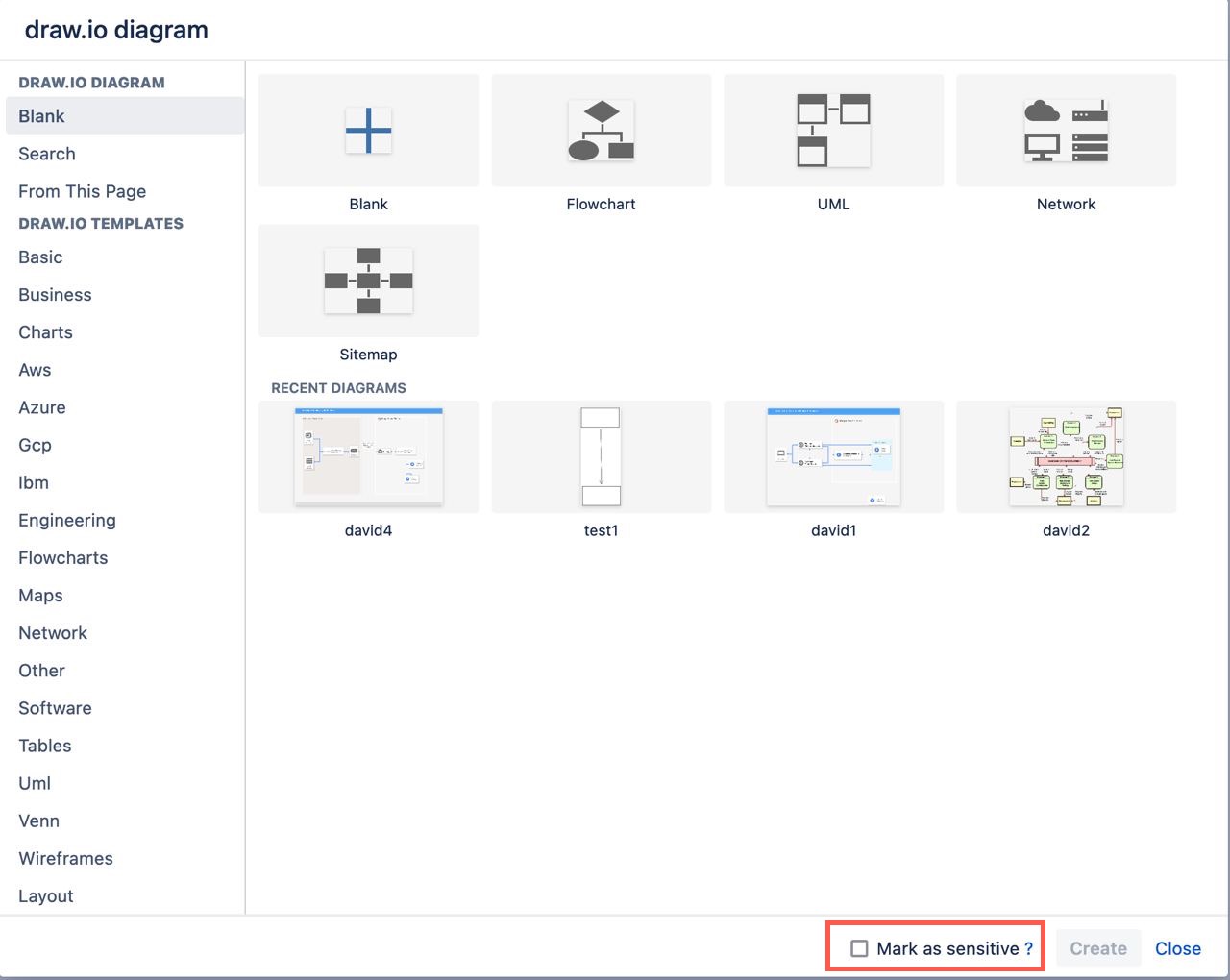
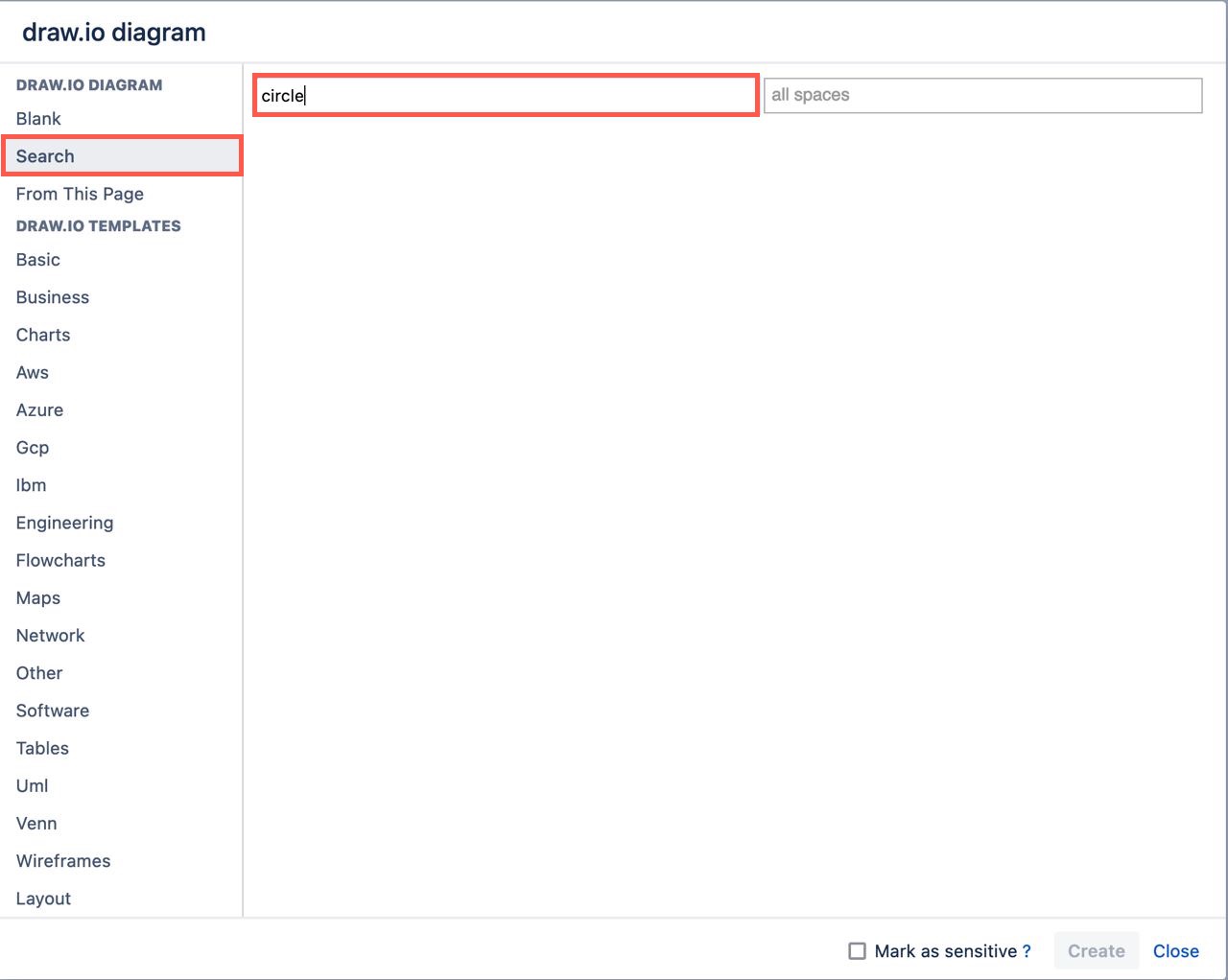
At the bottom of the new diagram dialog, enable the Mark as sensitive checkbox.
Mark a new diagram as sensitive when you create it to hide it from the recent diagrams list and search results

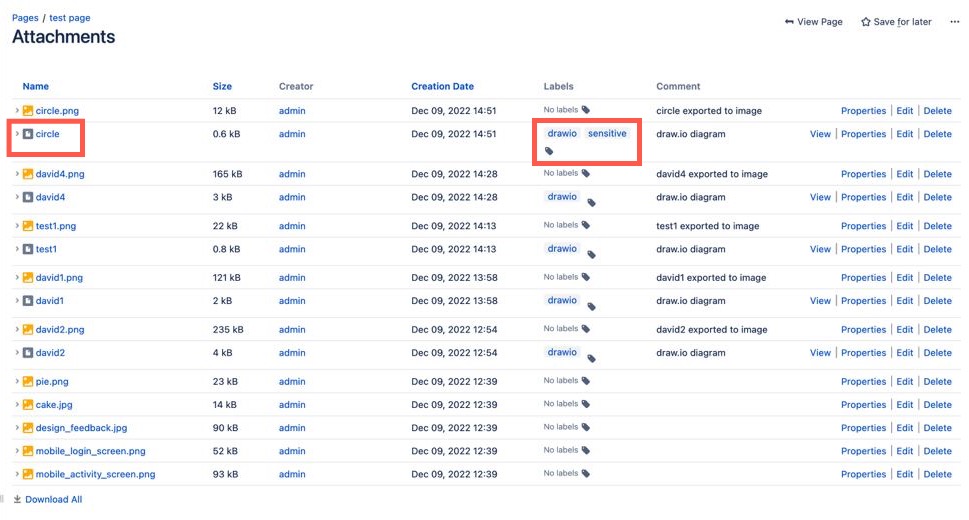
For example, the circle diagram on this page was marked as sensitive. You can see this via the labels in the page attachments list.
Confluence page attachments where the circle diagram file has two labels - drawio and sensitive

Now when you create a new diagram or embed an existing diagram, you won't see this sensitive diagram in the recent diagram list. It will also not be shown when you search for the diagram's filename.
Diagram files that have the sensitive label will not be shown in the search results, even when you search for their exact filename

Add a sensitive label to an existing diagram

All draw.io diagram attachments on a Confluence page are given the drawio label by default. You can add a sensitive label to an existing diagram via the Confluence Server/Data Center page attachments.

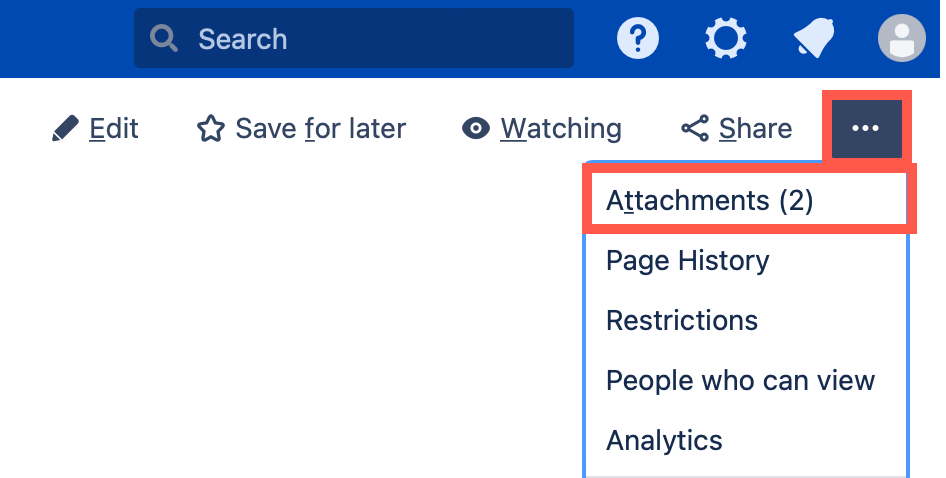
  1. On the page that contains the diagram file, click on the three dots to open the menu and select Attachments.
    Open the page attachments on a Confluence Server/Data Center page to see all the diagram files attached to that page
  2. Find the name of the diagram file you want to mark, click on the label icon next to the existing drawio label.
    Click on the label icon next to the diagram file you want to mark as sensitive on the Confluence Server/Data Center page
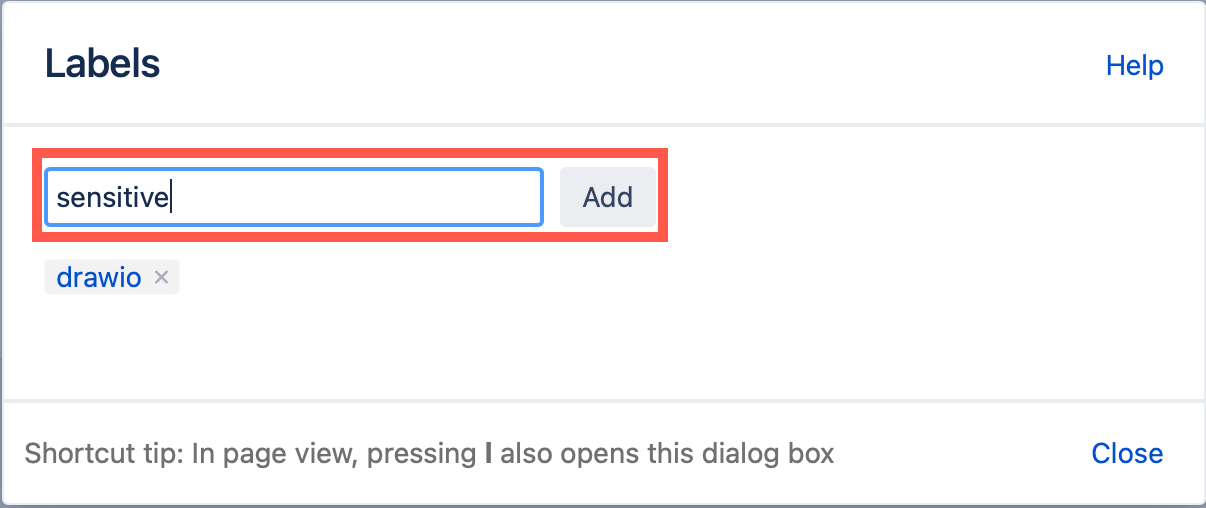
  3. Type sensitive and click Add, then click Close.
    Type the new label 'sensitive' in the text box and click Add to add the new label to that attachment on the Confluence Server/Data Center page

Remove the sensitive label from a diagram

  1. Open the page attachments in the same way as above.
  2. Find the name of the diagram file, and click on its label icon.
  3. Click on the little cross next that is on the sensitive label to delete it.

New draw.io features and updates in 2021

· 9 min read
draw.io
draw.io Team

This past year has seen a number of new features and big updates to draw.io, including the online editor, our Confluence and Jira apps, and other integrations for a variety of platforms.

Data security and privacy

As a unique security-first diagramming app, we want to provide you with the best in data privacy and data security.

Building on the data governance and lockdown options we implemented last year, our draw.io branded app for Confluence Cloud and Jira Cloud was the first secure diagramming app to meet Atlassian's rigorous Cloud Fortified standard, making it your most secure choice for diagramming and visualization.

The draw.io App for Github is an alternative authorisation method you can use to limit draw.io's repository access to specific repositories, rather than all of the repositories in your account.

We researched a stricter implementation of our content security policy on the test se.diagrams.net domain. Take up of the domain has been very low, so we will port all the changes we can from that project and then close it down.

New and updated integrations

Several new integrations were released, and existing ones were updated in the past year. New and updated features common across all integrations are described in the following section.

draw.io for Atlassian Confluence and Jira

With the draw.io apps for Confluence Cloud and Jira Cloud, you can embed diagrams that are stored in Confluence Cloud in your Jira Cloud issues. Keep all of your visual documentation for systems, processes and software in your Confluence Cloud knowledge base, and reference them in your project tasks in Jira.

The draw.io app is now free in small Confluence Cloud instances (up to 10 users). If you are taking advantage of Atlassian's offer of a free Confluence Cloud instance for your small team, you can now add the draw.io board macro and embed diagrams in Confluence pages without needing to purchase a license.

We've improved the draw.io app's performance within Atlassian host products, updated the authentication to use the new API, and refreshed the Kennedy editor theme. The Gliffy and Lucidchart conversion features received a number of updates and bugfixes throughout the year.

The new draw.io board macro in Atlassian Confluence uses the updated Sketch editor theme by default, providing teams with an easy-to-use digital whiteboard.
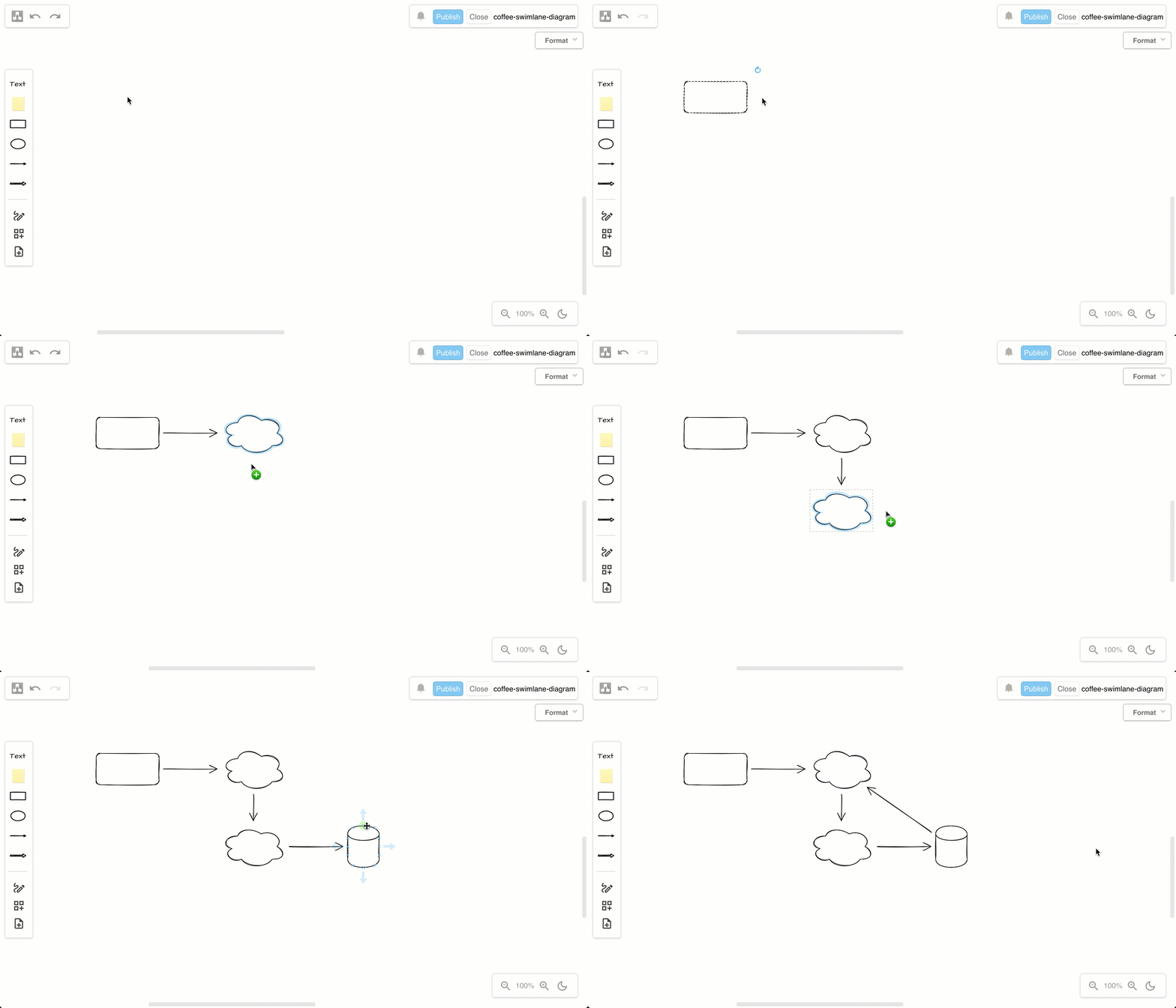
Double click on the drawing canvas to add a shape, or click on a direction arrow, or drag a new connection to a shape in another position in the draw.io editor

draw.io for Google Workspace, Drive and Classroom

Google Classroom continued to be used extensively by schools and training providers. The draw.io app for Google Drive lets you integrate diagrams into Google Classroom assessment tasks and discussions. Diagrams set in assessment tasks can be collaboratively edited, or act like a template with each student getting their own copy.
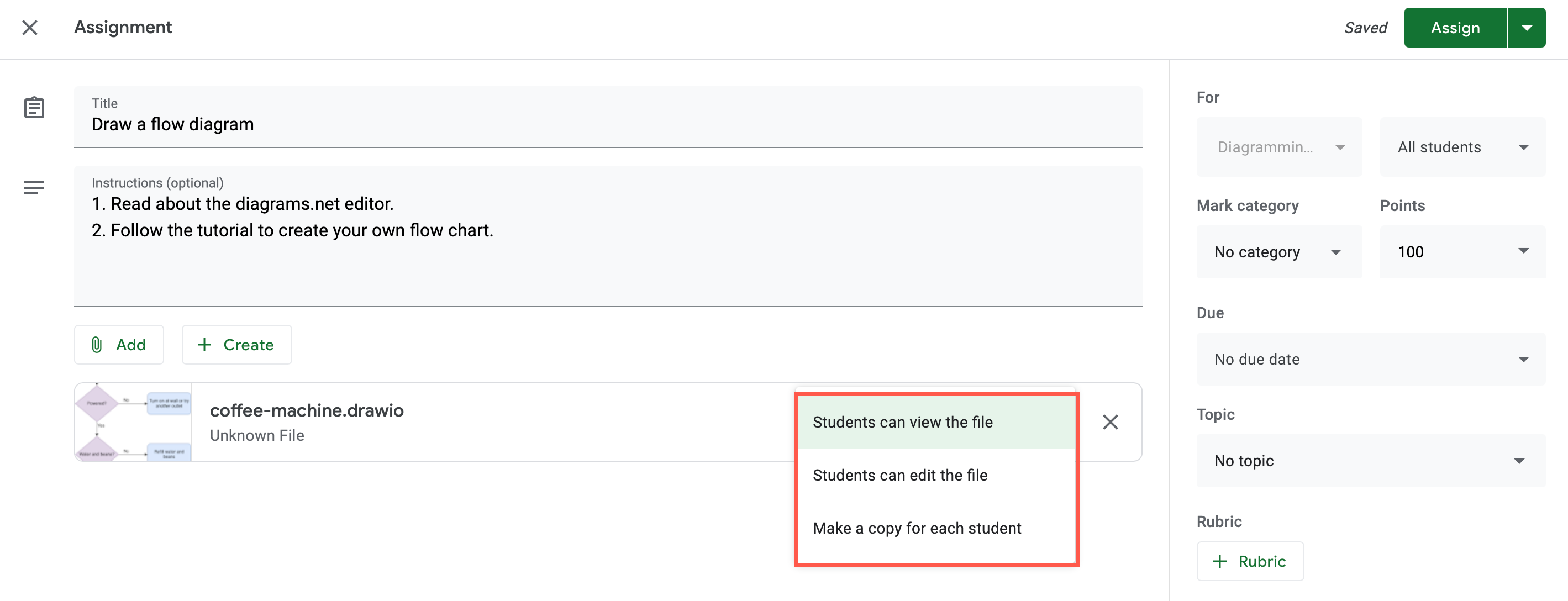
Select whether students can view or edit the diagram file, or if they automatically get their own copy in their Google Drives on diagrams attached to assignments in Google Classroom
Tip: Install the Google Workspace apps for Docs, Sheets and Slides to embed diagrams in your Workspace documents.

draw.io for VSCode and GitHub

In combination with the third-party draw.io app for VSCode, and the github.dev web-based code editor, you can now edit diagrams stored in GitHub, without needing to change to another tab. You can even compare changes side-by-side on commit.
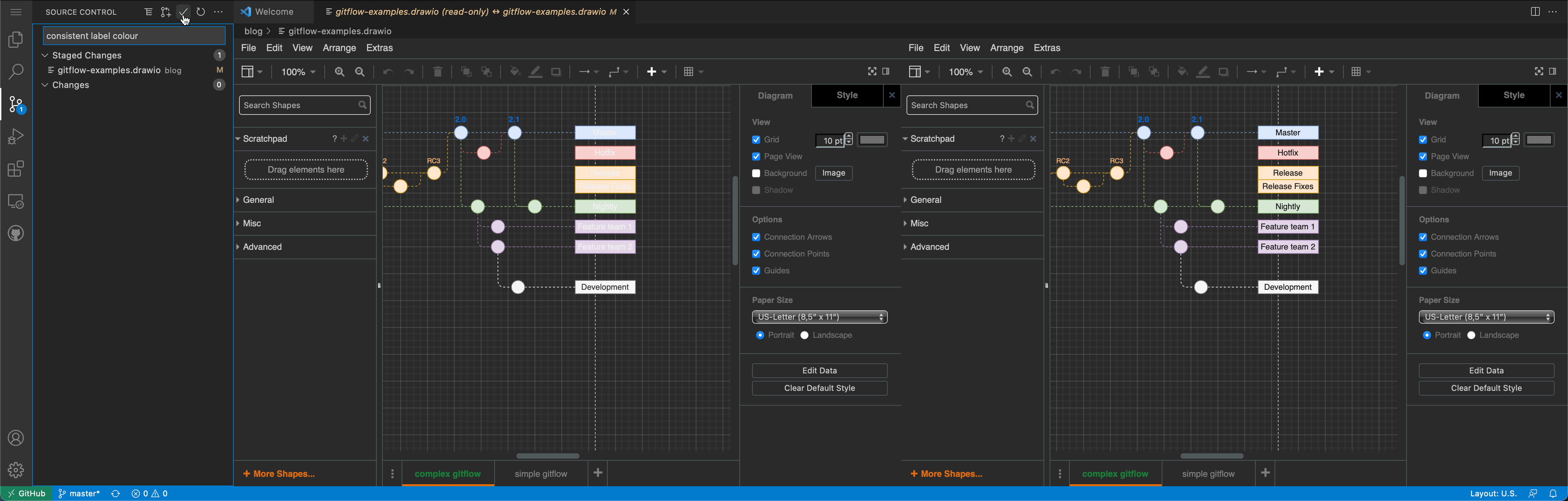
Compare and commit the changes you made to the diagram files in your repository via github.dev

draw.io diagrams in Notion

You can use the draw.io for Notion extension for the Chrome, Opera and Edge web browsers to store your diagram files in your Notion pages. The diagram editor loads inline in your Notion page using the simple Sketch editor theme.
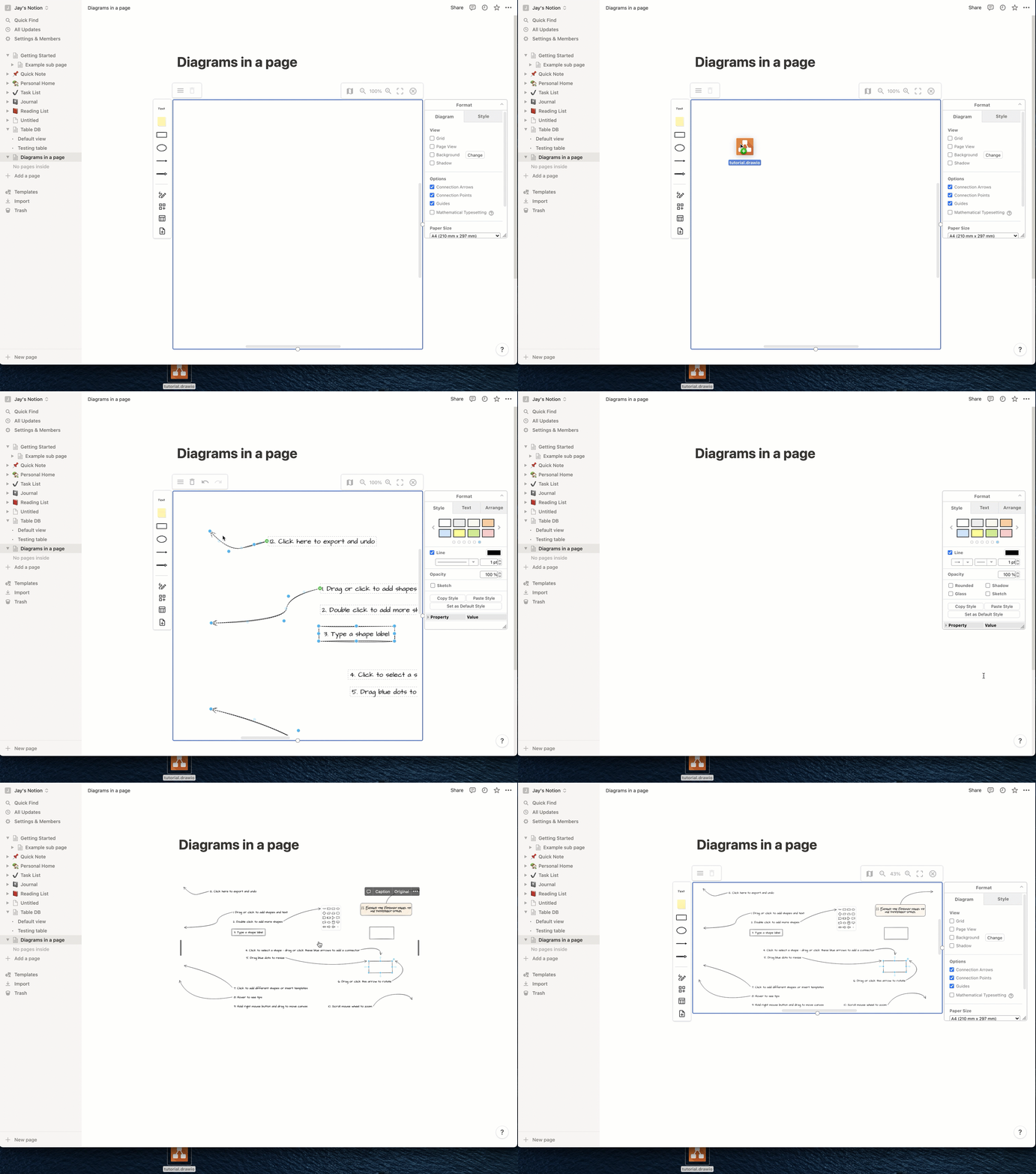
Import an existing diagram into Notion via the menu, or drag and drop the file into the drawing canvas

draw.io for Microsoft Teams

You can now collaborate in real time on diagrams stored in Microsoft One Drive or Sharepoint, directly from your team’s channel with the draw.io app for Microsoft Teams. Install the draw.io app in your Teams channel to add diagrams to conversations or to a Teams tab.
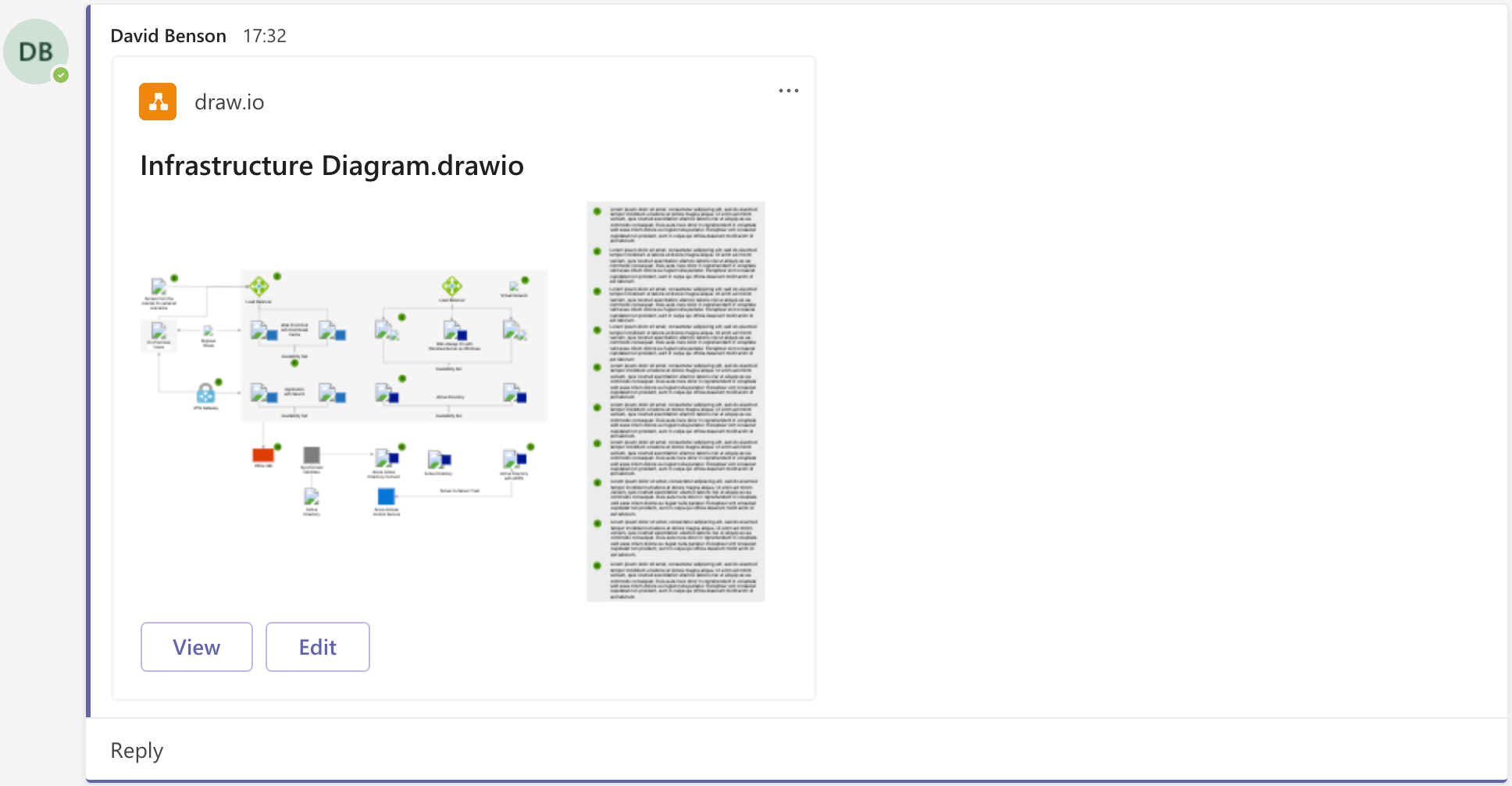
draw.io in Teams: A diagram added to chat will display the first diagram page as a thumbnail

Diagram import and file conversion

The free draw.io Importer extension for the Google Chrome browser lets you convert all of your Lucidchart diagrams to draw.io in a couple of steps. This lets you continue editing all of your diagrams now that Lucidchart has limited Lucidchart EDU, their previously free education plan, to only three editable diagrams.

New features and updates in 2021

The Sketch editor theme, and the right-click context menu received a comprehensive overhaul. The tools and menus were simplified and reorganised to make it feel much more like a whiteboard you can sketch freely on. You can expand or collapse most of the panels, and move them to another location around the drawing canvas.

The freehand drawing tool was updated along with the whiteboard like editor theme.
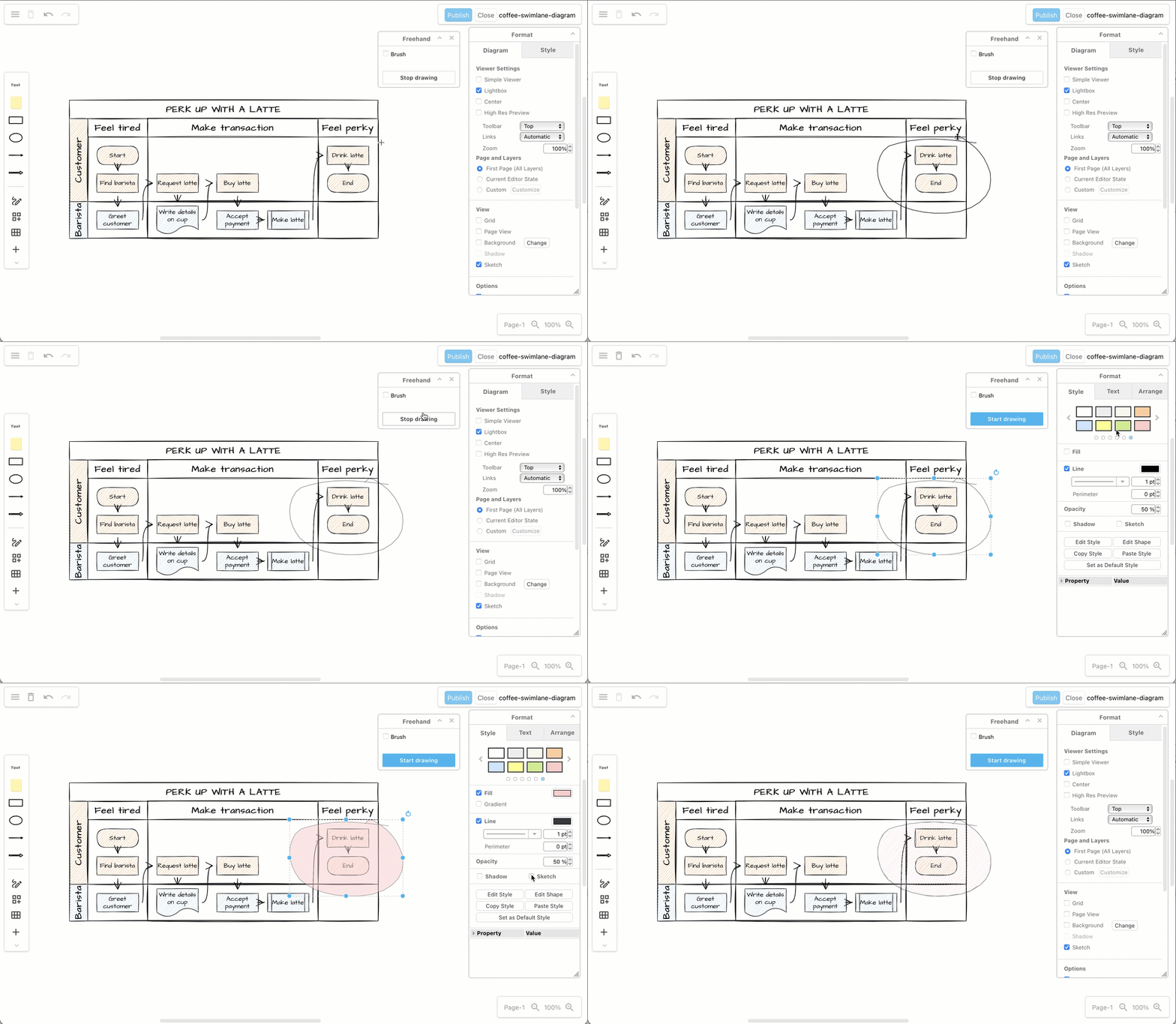
Use the freehand drawing tool in a draw.io Board diagram to markup diagrams or draw shapes with your mouse

You can now search for templates and click on the magnifying glass in the top right of any template to see a larger preview. The draw.io template library was also expanded with more templates and template categories.
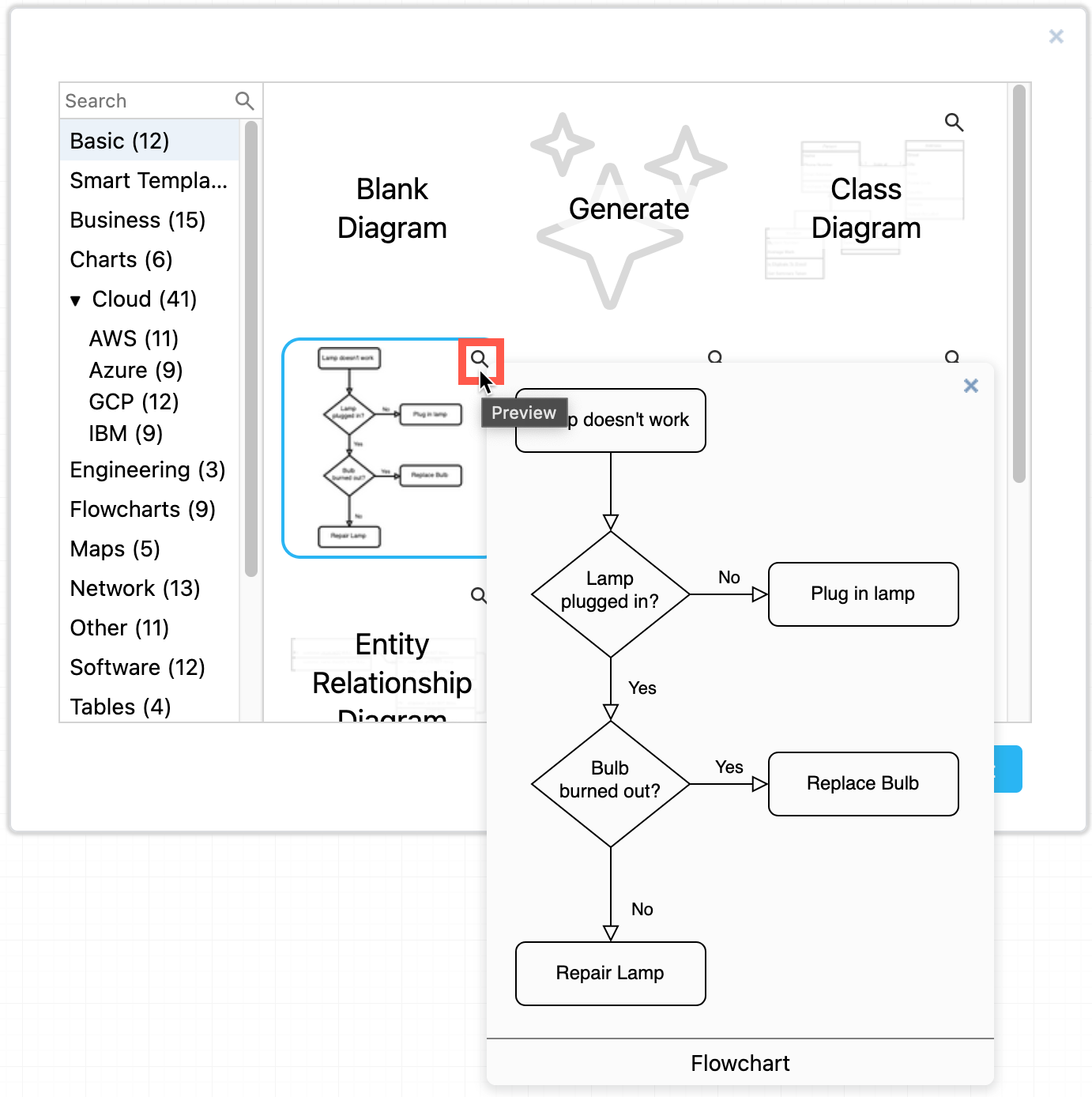
Hover over a template in draw.io to see a larger preview of it

In addition to moving diagram elements to the front or the back of an overlapping stack, you can step shapes and connectors forwards and backwards in the z-order stack using the Bring Forward and Send Backward buttons on the Arrange tab in the format panel.
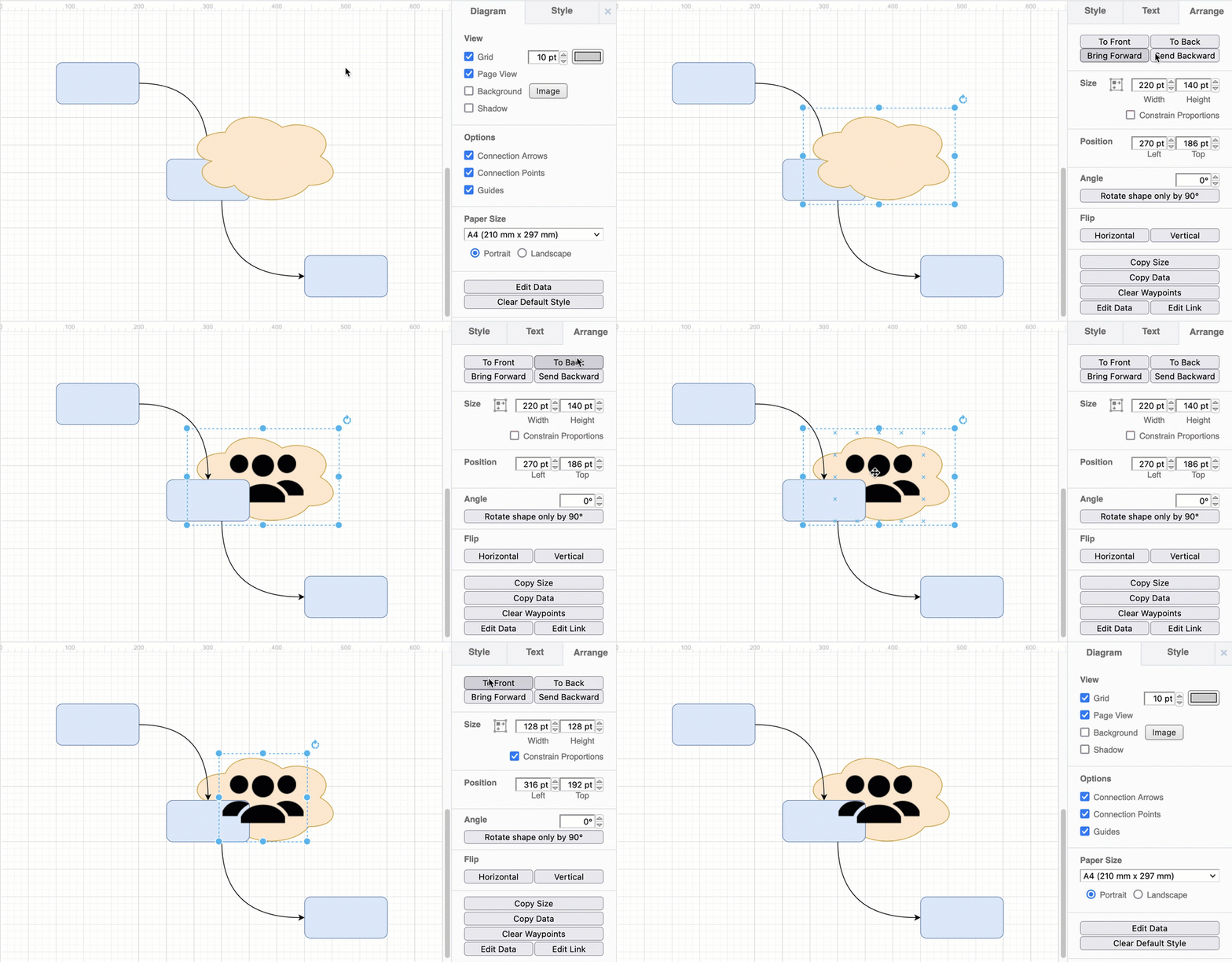
Bring overlapping shapes to the front or send them to the back via the Arrange tab

You can now use a diagram page as a background behind another diagram page. It will be printed along with the diagram, and is ideal for watermarking your diagrams, providing a common layout for mockups, or adding a template for diagram metadata on development documentation.
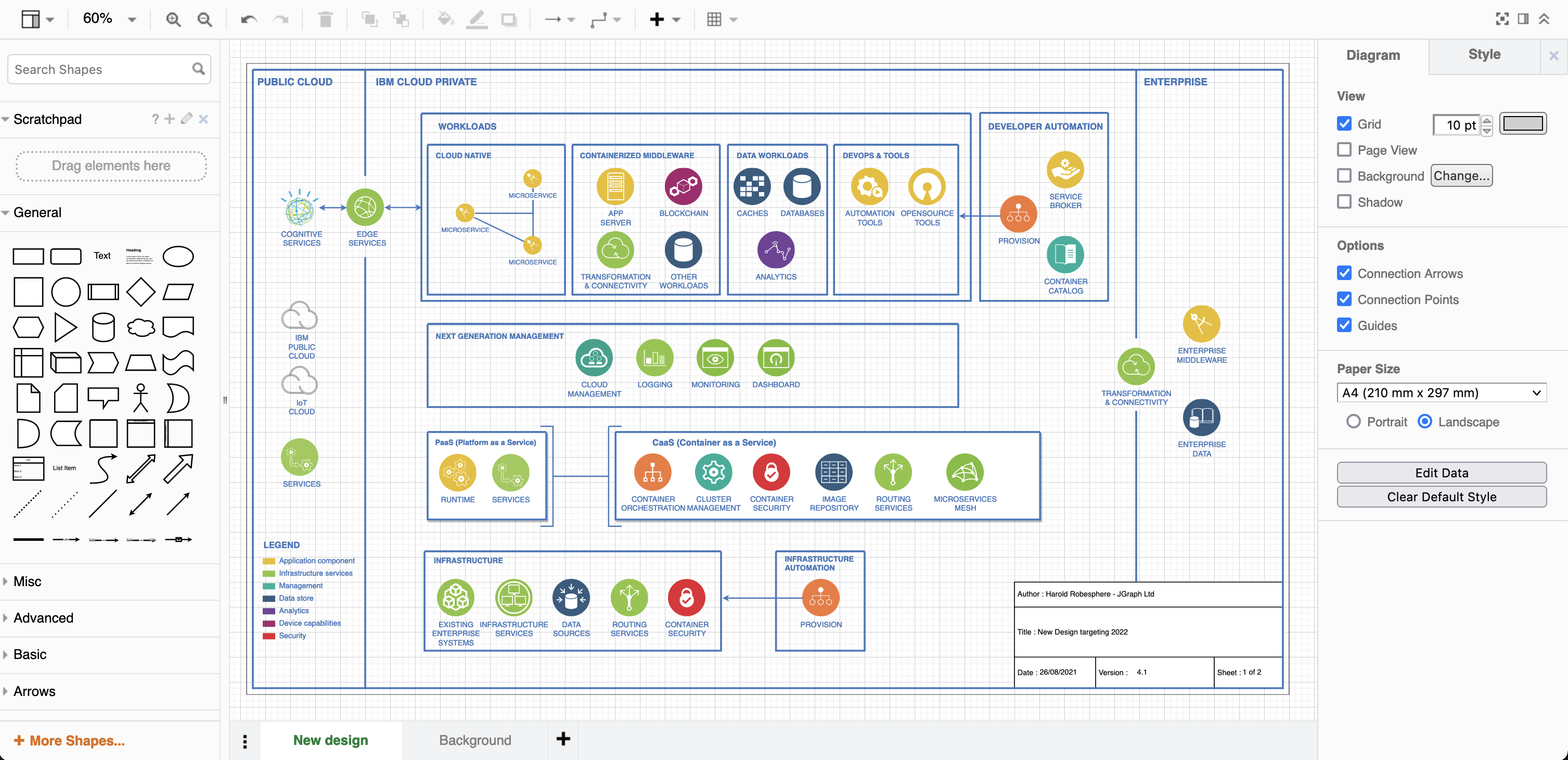
Diagram complete with background

A waypoint shape is now available in the Misc shape library (part of the General collection). You can use the small waypoint shape to join connectors together, replacing overlapping connectors with the same target or source shape neatly and cleanly.
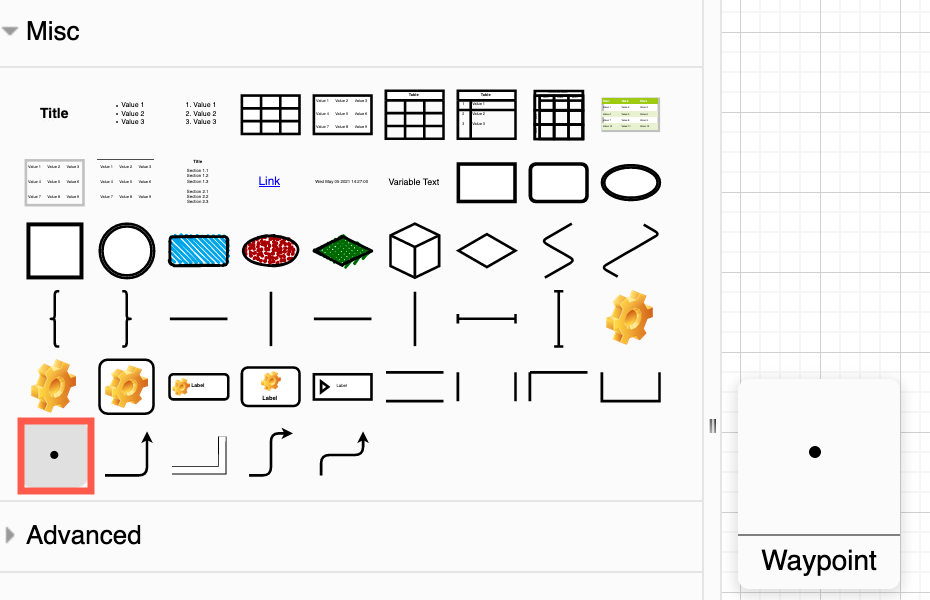
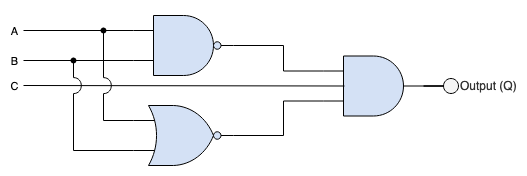
Drag the waypoint shape from the Misc shape library in draw.io Use waypoint shapes in draw.io to show contact points and enable line jumps to see where wires pass each other without connecting

Tags have been brought into the draw.io editor as a core feature and the experimental tags plugin has been retired. Add one or more tags to shapes and connectors to group them without needing to place them on the same layer in your diagram.

Use the Tags dialog (View > Tags) to group, select, hide or display the tagged shapes.
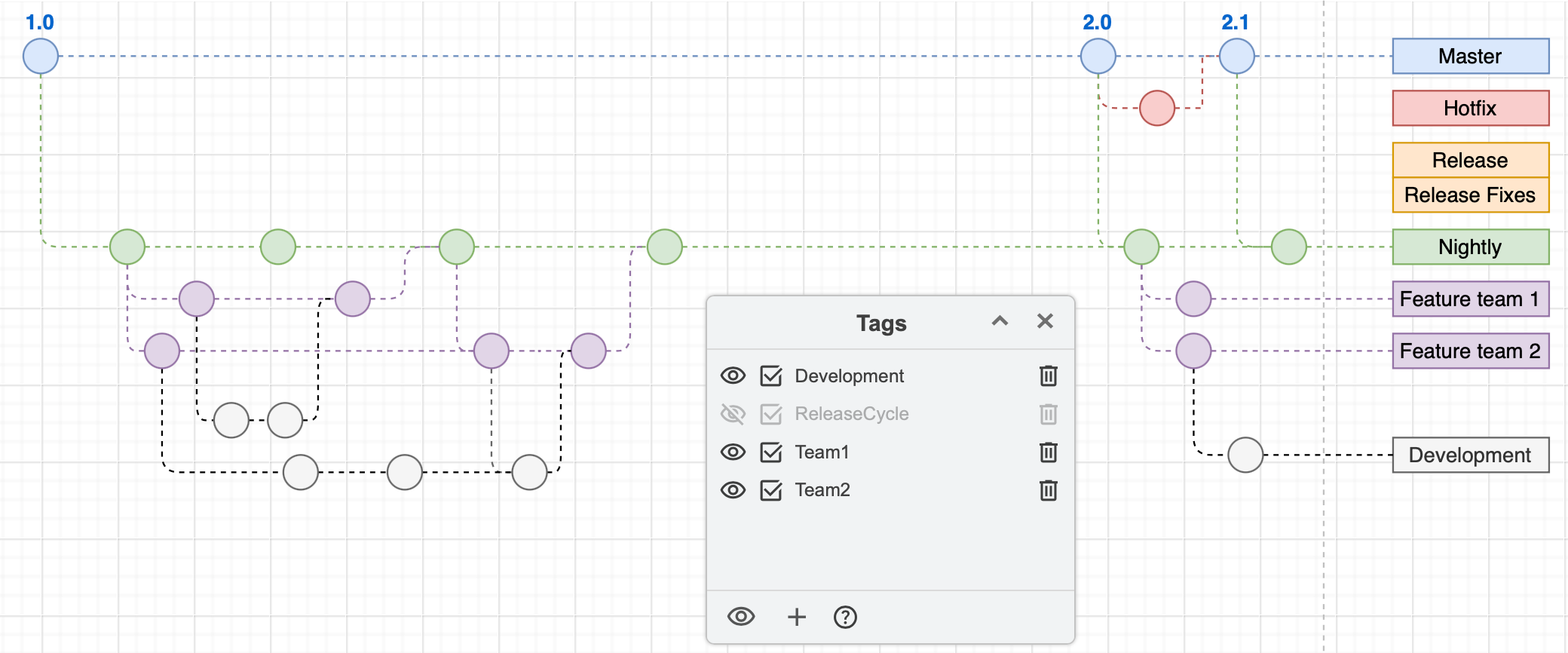
Tags on shapes and connectors in diagrams allow you to quickly select, hide or display related shapes without them needing to be grouped or on a single layer

Several shape libraries saw new or updated stencils, including AWS, C4, GCP, BPMN 2.0, electrical and swimlane shapes.

Many more features have been updated, expanded, and some simplified. Additional interface translations have been completed, and existing translations refreshed - thank you to all of our translators!

And of course, a mountain of bugs have been squashed.

See the changelog in our drawio GitHub repository for full details of all of the releases.

Manage your budget moving to Confluence Cloud

· 3 min read
draw.io
draw.io Team

draw.io and our Atlassian integrations are the leading solution for web based sketching and diagramming functionality. The article describes the draw.io integrations for Confluence that we, draw.io Ltd., build, deliver and maintain alongside the online app.diagrams.net and the offline draw.io Desktop application.

Atlassian recently deprecated their Confluence Server range. As the software market evolves, accelerating the move to Cloud is the next natural step in Atlassian's strategy.

Users able to move to Cloud have seen an overall cost saving due to reduced maintenance and downtime, as well as benefiting from Atlassian's scalability and security record. There are various mechanisms in place to smooth the road to Cloud, including free Cloud licenses while you migrate away from Server.

At smaller tiers Confluence Cloud is the clear winner, at higher tiers the cost outlay is greater (excluding the benefits). You can see a comparison between Confluence Server and Confluence Cloud at various tiers below (pricing as per the July 2021 price list, annual renewal in USD):

Users   Conf Server  Conf Cloud
101,300Free
251,3001,250
503,0002,500
1005,5005,000
25010,90012,500
50016,40018,500
2,00020,10061,000
10,00025,200256,000

For under 500 users, the cost is largely the same. But that isn't the whole picture, as you're likely to have apps installed, also.

Taking the top selling Confluence app, Gliffy, let's see how the price changes as you move to Cloud and compare it to draw.io on Cloud:

Users   Gliffy Server   Gliffy Cloud   draw.io Cloud
10510010
25301950187.50
506301,900375
1001,1783,800750
2502,4068,0001,500
5003,12510,2502,000
2,0006,56623,7504,500
10,0009,43095,75016,500

In fact, up to 4k users, you will save money on your Gliffy Server renewal by using draw.io on Confluence Cloud. With 10k users, you will pay 75% more for draw.io on Cloud compared to Gliffy on Server. However, if you have 10k users switching to Cloud and keep Gliffy, you pay over ten times (x10) the Server price.

There is a rich selection of apps in the Atlassian ecosystem and it's worth evaluating alternatives when migrating from Confluence Server to Cloud. Some apps, like draw.io with its one-click Gliffy mass importer, make it easy to switch whilst saving you money. Of course, you save that amount every year after you have switched.