Alt+Shift+drag to deselect shapes
When you drag a selection box around too many shapes, you can either do it again to include only the shapes you wanted to select, or use hold down Alt+Shift and drag a deselection box around those shapes you want to remove from your selection.
This Alt+Shift+drag modifier shortcut is especially useful when you don't want to select the child shapes of a compound shape.
For example:
- Drag a selection box around a database entity (in an entity relationship diagram)
- Hold down
Alt+Shiftand drag a deselection box around just the rows inside of the entity to remove them from your selection.
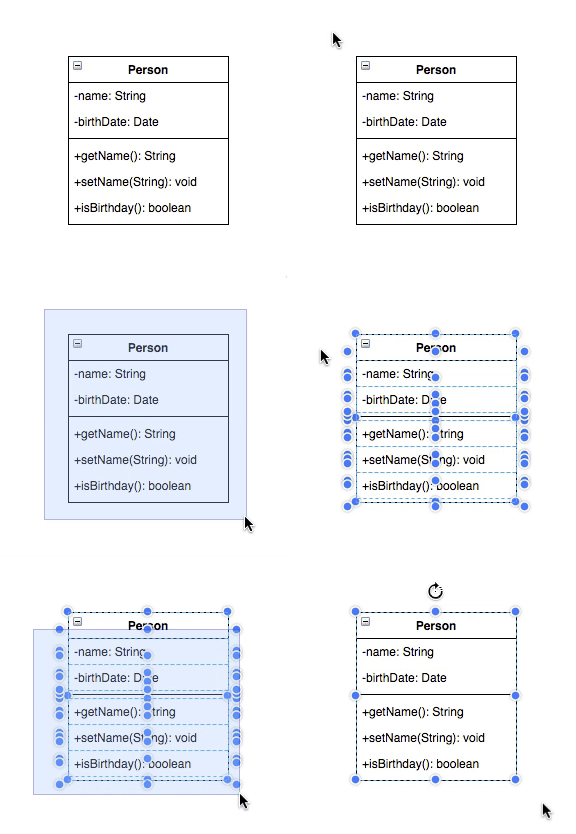
You can do this multiple times to reduce your selection to exactly the shapes you want. For example, if you have selected multiple entities and you want to deselect all of the rows, use Alt+Shift+Select to remove them from your selection.